
Gamification has become one of the most effective tools for improving user retention and engagement in mobile apps. Apps like Duolingo, Strava, and Headspace have proven that streaks, achievements, and leaderboards can transform occasional users into daily ones. But adding gamification to your own app isn't as simple as dropping in a badge system and hoping for the best. Product teams need to know how to compare gamification software and wether building in-house is the right option.
This guide covers everything you need to know to add gamification to your web or mobile app—from the psychology that makes it work, to the specific mechanics you can implement, to the technical decisions you'll face along the way.
What This Guide Covers
We'll walk through:
- The psychology behind gamification — Why streaks create habits, how leaderboards motivate (and demotivate), and where gamification can backfire
- Choosing what to gamify — How to identify the right behaviors to reinforce in your specific app
- The core mechanics — Streaks, achievements, leaderboards, points, and challenges—when to use each and how to design them well
- Build vs. buy decisions — What's involved in building gamification infrastructure yourself versus using an API
- Implementation guidance — A practical walkthrough of integrating gamification using an API
- Best practices and measurement — How to avoid common mistakes and prove that your gamification is actually working
Who This Guide Is For
This guide is written for product managers, founders, and developers who are considering adding gamification to an existing app. Whether you're trying to improve retention for a fitness app, increase engagement in an edtech platform, or build habits in a productivity tool—the principles and patterns here apply.
We assume you already have a product that delivers value. Gamification amplifies engagement with something users already want to do. It doesn't fix a broken product.
Why Gamification Matters Now
User acquisition costs keep rising. The apps that win are the ones that retain users—and retention comes from engagement. Gamification, done well, turns sporadic usage into daily habits.
Consider the numbers: one study found that introducing gamification features to a mobile app increased retention by 15%. For a consumer app, that kind of retention lift translates directly into lifetime value. It's no longer a nice-to-have; for many categories, it's table stakes.
The good news: you don't need to build everything from scratch. The patterns are well-established, the tools exist, and implementing gamification is more accessible than ever.
Let's start with the psychology that makes it all work.
Why Gamification Works (The Psychology)
Understanding the psychology behind gamification isn't optional—it determines whether your implementation helps users or annoys them. The difference between Duolingo and a generic badge system comes down to psychological design.
Intrinsic vs Extrinsic Motivation
Every user who opens your app has some level of intrinsic motivation. They want to learn the language, get fit, save money, or be more productive. That internal drive is what brought them to you in the first place.
Extrinsic motivation comes from external rewards: points, badges, streaks, leaderboard rankings. These are the tools of gamification.
The goal of gamification is to use extrinsic rewards to reinforce the existing intrinsic motivation, building habits that stick. You're not creating motivation from nothing—you're scaffolding and sustaining motivation that's already there.
The danger zone is over-relying on extrinsic rewards. Research on the overjustification effect shows that when you reward people too heavily for activities they already enjoy, they can start to feel like they're doing it for the reward rather than for the activity itself. When the rewards stop, so does the behavior.
The best gamification makes the core activity more visible and rewarding without replacing the intrinsic satisfaction. A streak counter doesn't make language learning fun—it makes the habit of daily practice more tangible and harder to break.
Progress and Mastery
Humans are wired to seek competence and growth. We want to get better at things, and we want that improvement to be visible.
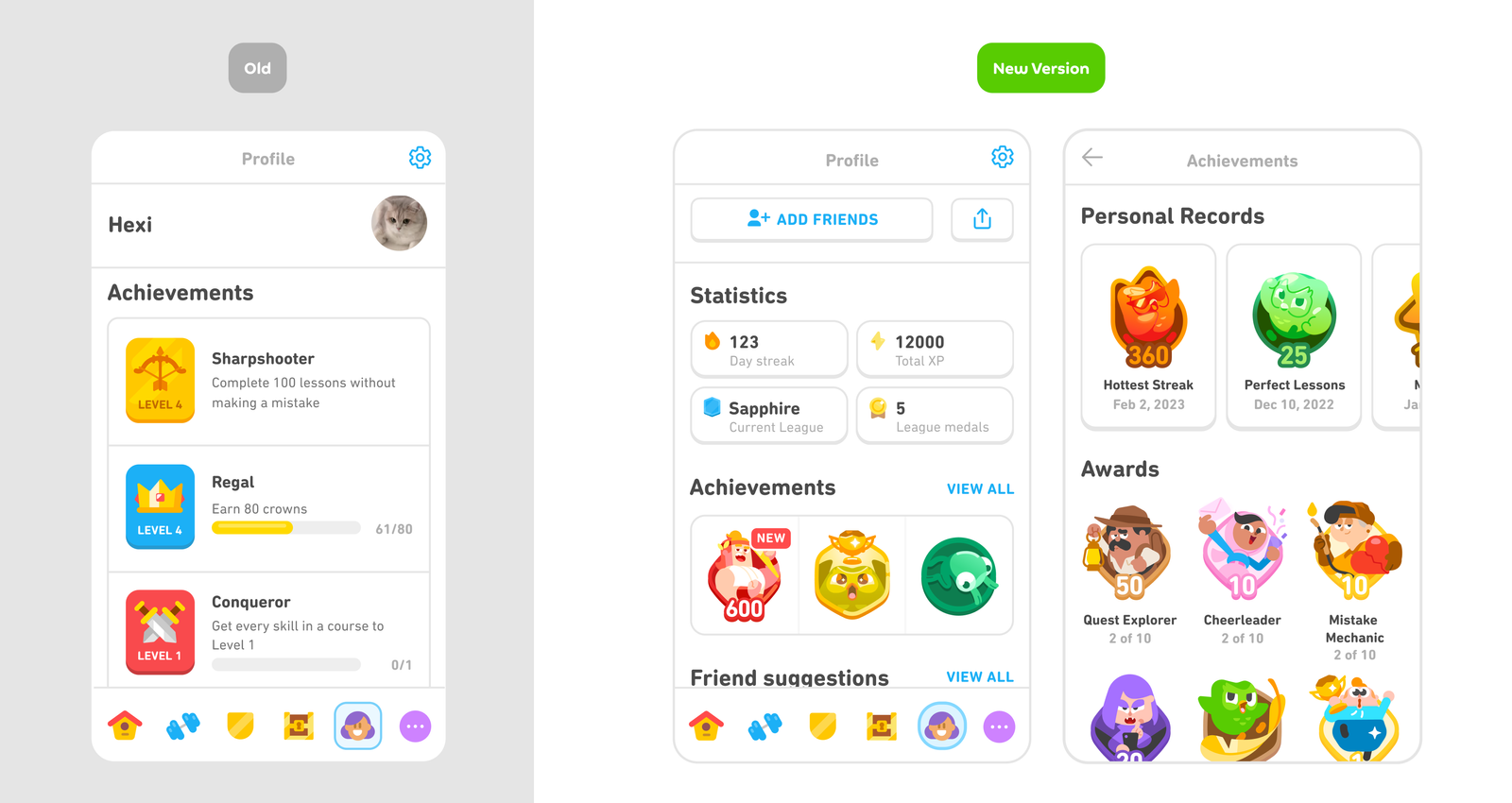
This is why XP bars, level indicators, and completion percentages work so well. They make progress tangible. A user who has completed 73 out of 100 lessons can see exactly where they stand and how far they've come.
Mastery milestones should feel earned, not given. If achievements unlock too easily, they lose meaning. If they're impossible to reach, users give up. The sweet spot is progress that requires real effort but feels achievable.
The feedback loop matters: action leads to visible result, which creates a sense of improvement, which motivates more action. Every workout logged, every lesson completed, every task checked off should visibly move something forward.
Social Comparison and Status
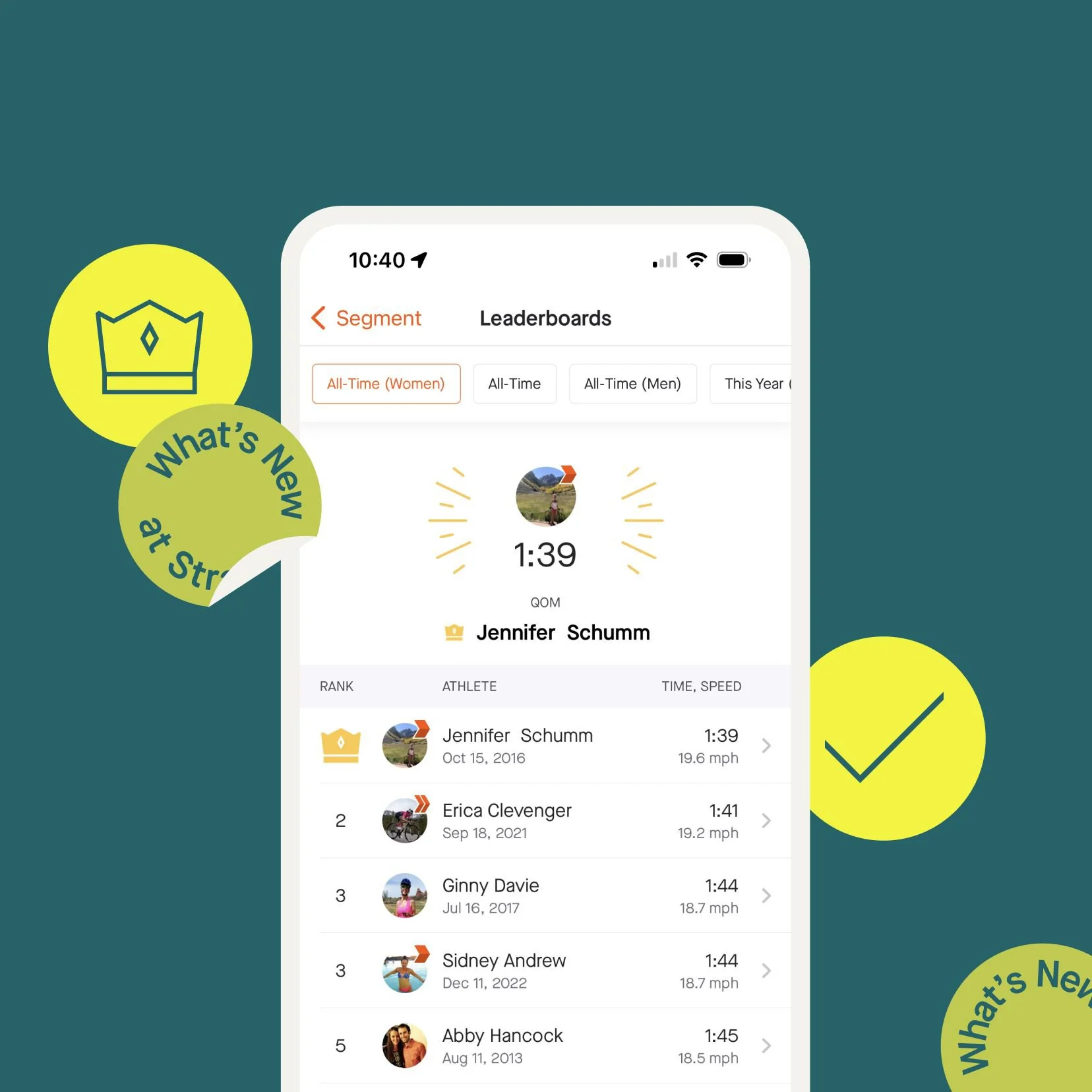
Leaderboards tap into our natural tendency to compare ourselves to others. For competitive users, seeing their name rise in the rankings is deeply motivating. Recognition from peers, or even strangers, can be a powerful driver.
But social comparison cuts both ways. A new user who sees the #1 spot held by someone with 50,000 workouts isn't motivated—they're discouraged. The gap feels insurmountable, so why bother?
The Education University of Hong Kong found that top-ranked students on a leaderboard were motivated to work harder, the middle- and bottom-ranked students had a negative experience. Read the full study here.
Design leaderboards for encouragement, not discouragement. Show users who are slightly ahead of them, not just the top 0.1%. Friend leaderboards often work better than global rankings because competing with people you know feels more relevant and achievable. Time-windowed leaderboards (weekly or monthly resets) give everyone a fresh start and keep competition accessible.
Loss Aversion
Losing something feels worse than gaining the equivalent feels good. This asymmetry is called loss aversion, and it's one of the most powerful forces in gamification.
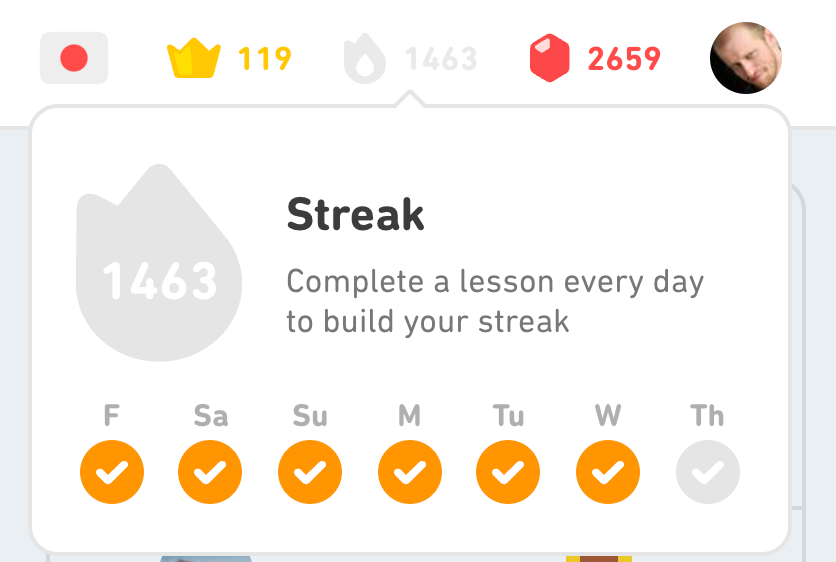
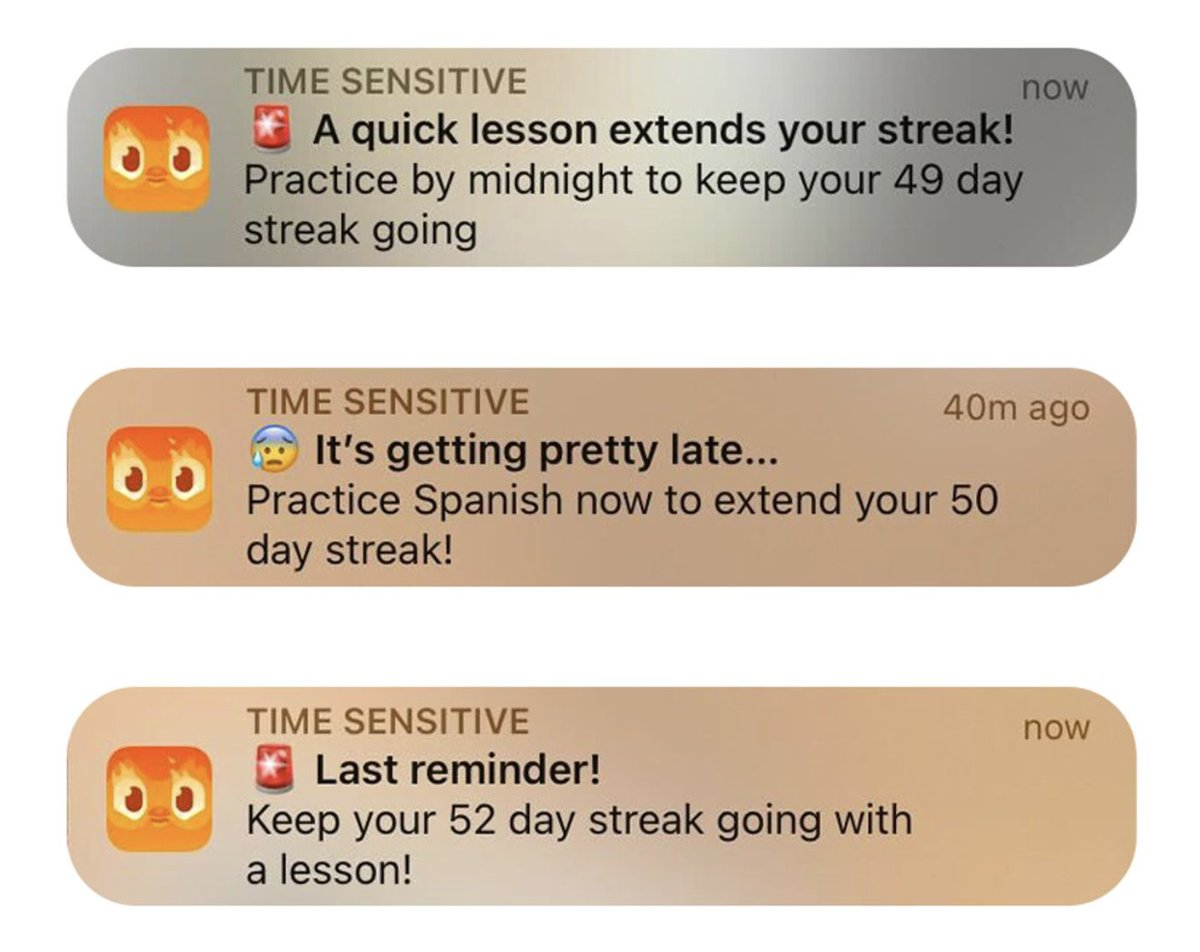
Streaks exploit loss aversion directly. A 50-day streak feels precious. The thought of losing it and seeing that counter reset to zero keeps users coming back even on days when they'd otherwise skip. "I can't break my streak" is a common refrain among Duolingo users, and it's loss aversion at work.
This power comes with risk. Users who lose long streaks often quit entirely. The very mechanism that kept them engaged becomes the reason they leave. If losing a streak feels too punishing, users won't recover—they'll just stop using the app.
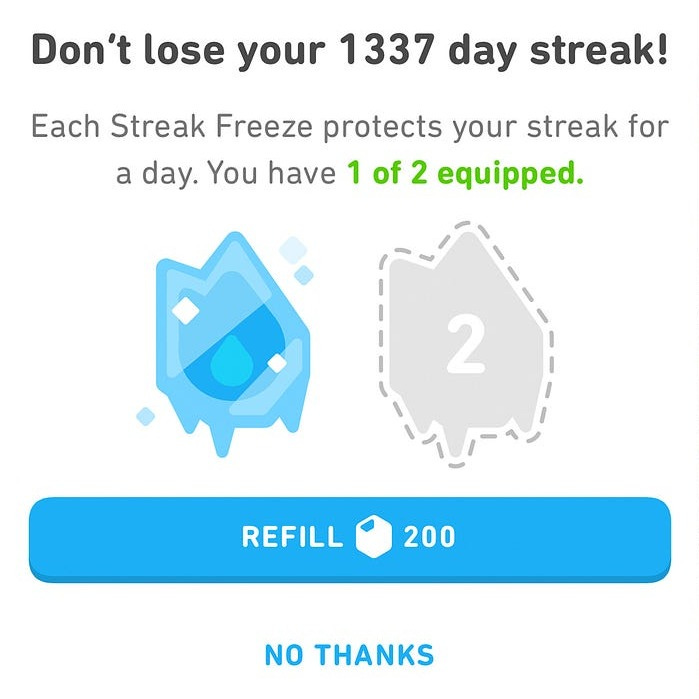
Mitigation strategies help: streak freezes give users a safety net, grace periods soften the blow of a missed day, and "comeback" mechanics can help users re-engage after a break rather than giving up entirely.
Ethical Boundaries
Gamification should align user goals with business goals. When it works well, users get more value from your product (better habits, more learning, improved fitness) and you get better retention and engagement. Everyone wins.
Dark patterns break this alignment. Creating artificial urgency, exploiting addictive behaviors, or punishing users harshly for taking breaks—these tactics might boost short-term metrics, but they erode trust and eventually drive users away.
A useful test: would you be comfortable explaining exactly how your gamification works to your users? If the answer is no, something is probably wrong.
The best gamification helps users achieve what they came for. If your mechanics are working against user goals rather than supporting them, you've built manipulation, not motivation.
Deciding What to Gamify
Most failed gamification comes from adding mechanics before understanding what behavior you're trying to change. Teams see Duolingo's streaks or Strava's leaderboards and jump straight to implementation. But the mechanics are the easy part. The hard part is knowing what to reinforce.
Start with the Behavior You Want to Encourage
Before picking any mechanics, answer these questions:
What's the core action?
Every app has one or two actions that define success. For a fitness app, it's completing a workout. For a language app, it's finishing a lesson. For a productivity tool, it's checking off tasks. For a finance app, it's logging expenses or hitting savings goals.
Identify that core action. That's what you gamify.
What frequency matters?
Different behaviors call for different rhythms:
- Daily habits work well with streaks and daily XP bonuses. Language learning, meditation, fitness—anything where consistency matters more than intensity.
- Weekly habits fit weekly challenges and resetting leaderboards. Writing, meal planning, review sessions.
- Cumulative progress suits achievements for milestones. Total miles run, courses completed, books read.
Match your mechanics to the natural rhythm of the behavior you're encouraging.
Where do users drop off?
Look at your retention data. Where are you losing people?
- Day 1 to Day 7: Onboarding achievements can help. Reward users for exploring features and completing their first key actions.
- Day 7 to Day 30: Streaks create commitment. Once users have a streak going, loss aversion kicks in.
- After a break: Re-engagement mechanics matter. Comeback bonuses and streak restoration give users a reason to return rather than feeling like they've lost everything.
Design your gamification to address the specific drop-off points in your funnel.
What does a successful user look like?
Work backwards from your power users. What do they do that casual users don't? How often do they engage? What features do they use?
Your gamification should encourage casual users to behave more like power users. If your best users complete five lessons per week, that's the behavior to reinforce—not daily usage if daily isn't what actually drives success.
Match Mechanics to Goals
Different goals call for different mechanics:
| Goal | Best Mechanic | Why |
|---|---|---|
| Daily habit formation | Streaks | Loss aversion creates commitment |
| Long-term progression | XP + Levels | Visible growth over time |
| Competition among users | Leaderboards | Social comparison motivates |
| Celebrating milestones | Achievements | Recognition for effort |
| Short-term focus | Challenges | Time pressure creates urgency |
| Preventing churn | Streak freezes, re-engagement | Softens the cliff of failure |
Don't stack everything at once. A new user seeing streaks, XP, achievements, leaderboards, and challenges is overwhelmed. The interface feels cluttered, the value proposition is unclear, and the mechanics compete for attention.
Start with one mechanic that fits your core loop. Prove it works. Then layer in additional mechanics as you learn what your users respond to.
Avoid Gamification for Its Own Sake
Warning signs that you're gamifying wrong:
The core product is broken. If users don't want to do the activity, points won't change that. No amount of badges will make a frustrating workout app enjoyable. Fix the product first, then add gamification to amplify engagement with something that already works.
You're copying Duolingo because Duolingo did it. Their mechanics fit language learning habits—short daily lessons that benefit from consistency. Your app might need something entirely different. A meditation app and a project management tool shouldn't have identical gamification, even though both want engaged users.
Engagement metrics go up but outcomes don't. If users are chasing points but not actually learning, exercising, or saving money, you've built a distraction rather than a feature. Watch for gaming behavior—users finding ways to earn rewards without doing the real activity.
Users game the system. If people discover shortcuts that earn points without meaningful engagement, your incentives are misaligned. This is a sign to redesign, not to patch with anti-cheat measures.
Ask yourself: Would removing the gamification make your product feel empty, or would it just remove a layer of noise?
Good gamification makes the core activity feel more rewarding. It surfaces progress that was always there, creates social connection around shared goals, and builds habits that serve users' own objectives.
Bad gamification is a coat of paint on a product users don't love. It adds visual noise without adding value. If your gamification disappeared tomorrow and nobody noticed, it wasn't helping.
The Core Gamification Mechanics
Now let's get into the specific mechanics you can implement. Each has its own psychology, design considerations, and best-fit use cases.
Streaks
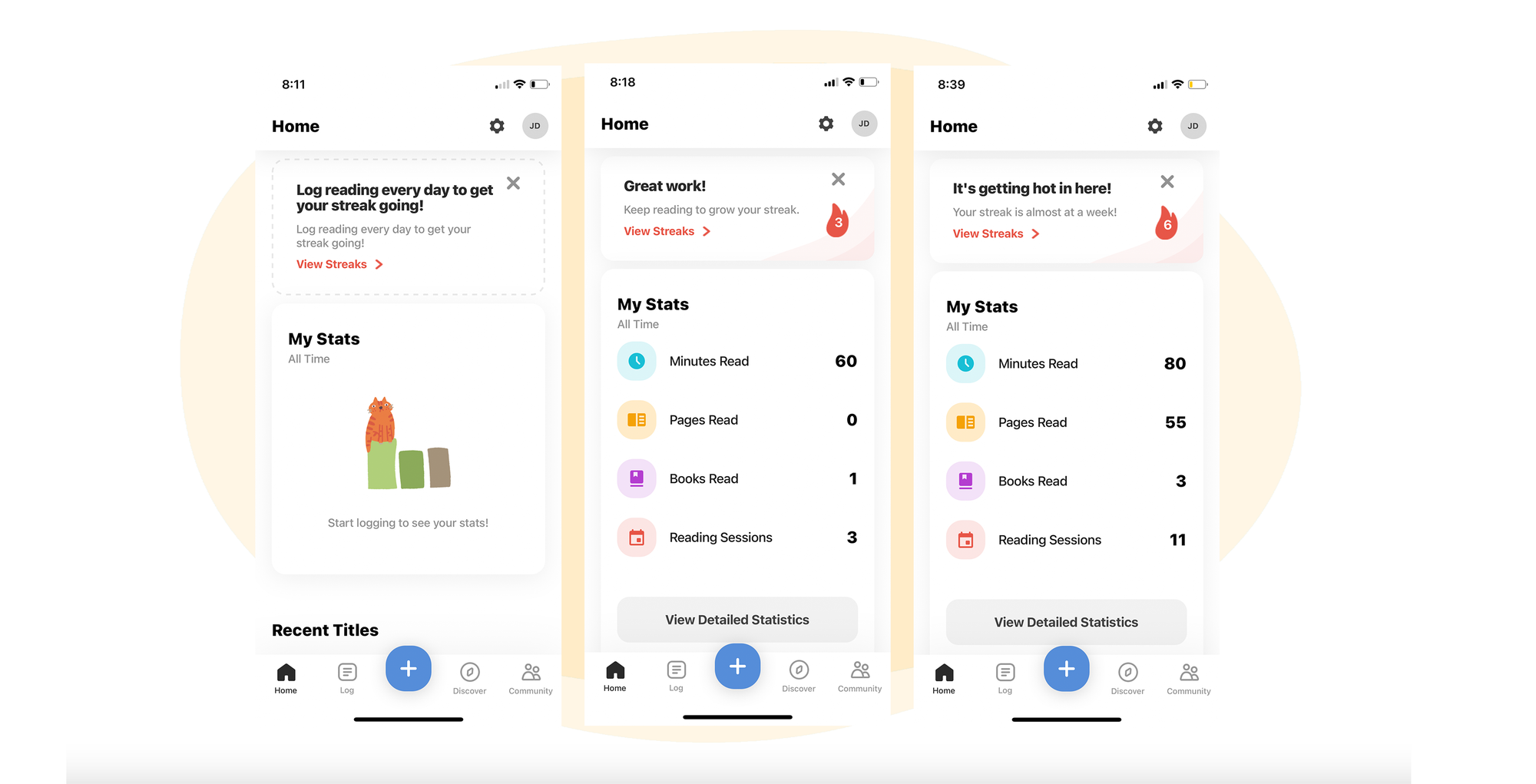
Streaks are consecutive days (or periods) of completing an activity. Simple concept, powerful psychology.
Why streaks work:
- Loss aversion: A 30-day streak feels valuable. The thought of losing it and seeing that counter reset to zero keeps users coming back even on days they'd otherwise skip.
- Habit formation: Daily repetition builds routines. Streaks provide the scaffolding that turns occasional behavior into automatic habit.
- Identity: "I'm someone who has a 100-day streak" becomes part of how users see themselves. The streak becomes tied to self-image.
Design decisions that matter:
| Decision | Options | Trade-offs |
|---|---|---|
| What counts? | Any activity vs specific action | Broader = easier to maintain, but less meaningful |
| Minimum threshold | 1 action vs time-based (5 min) | Low bar = more streaks, high bar = more engaged users |
| Timezone | User's local vs UTC | Local is user-friendly, but adds complexity |
| Streak length display | Days vs weeks | Days feel more immediate, weeks suit lower-frequency habits |
Streak freezes are almost always a good idea. Without them, users who miss one day after 50 days of consistency will often quit entirely. The streak represented their commitment, and losing it feels like starting from nothing. A freeze gives them a safety net—a chance to maintain their progress through a sick day or vacation.
Design choices for freezes: How many does each user get? Are they earned through milestones, purchased, or given periodically? Do they auto-apply when a user misses a day, or does the user need to activate them?
Milestones matter. Celebrate 7 days, 30 days, 100 days, 365 days. These become mini-achievements within the streak system and give users targets beyond "don't break the chain."
Where streaks work well: Daily habit apps—fitness, meditation, language learning, journaling. They're less suited for apps where daily use isn't the goal. A project management tool probably doesn't need streaks.
Achievements & Badges
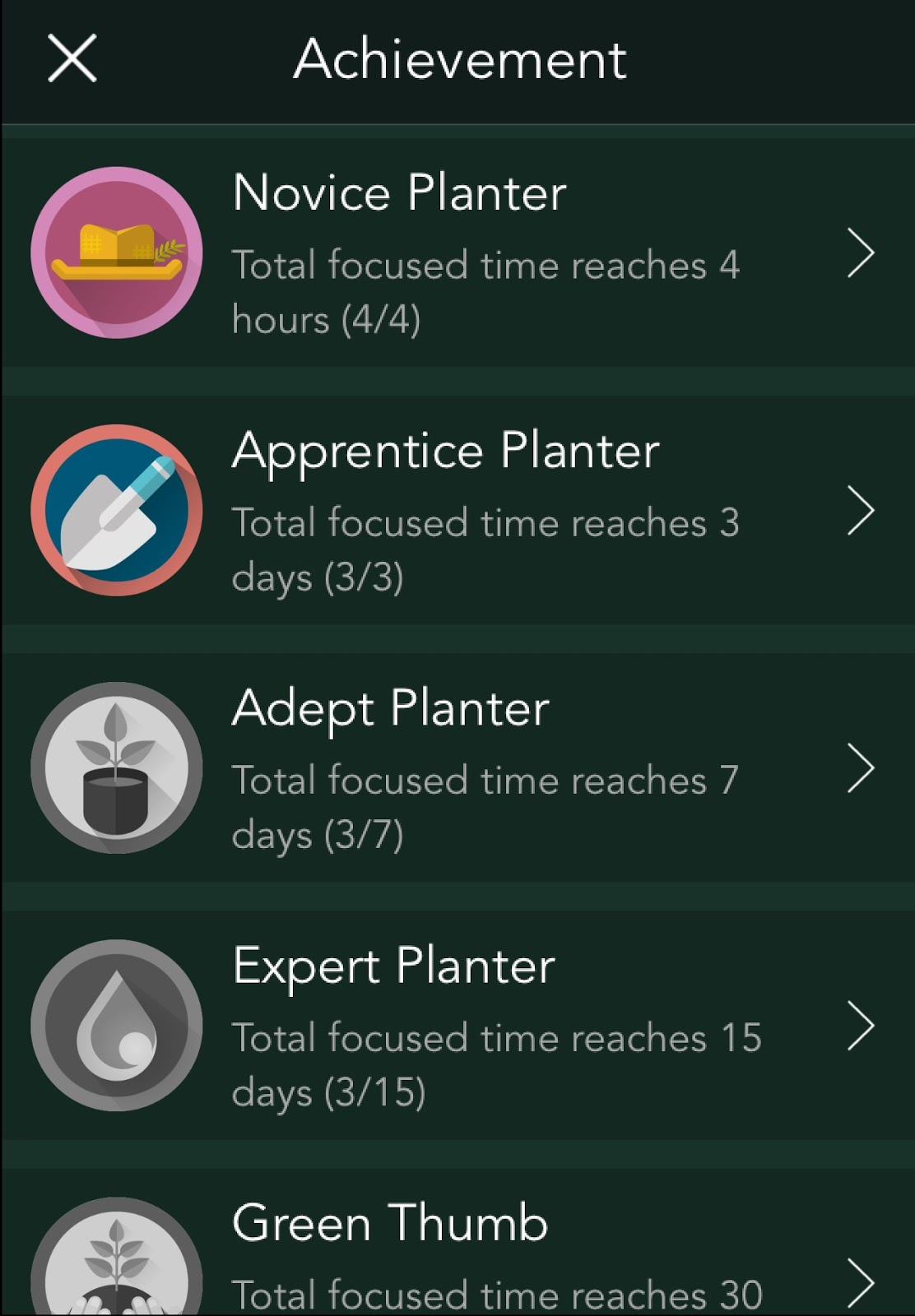
Achievements mark milestones. They're the trophies on the shelf—proof of what users have accomplished.
Why achievements work:
- Mastery: Completing something difficult feels good. Achievements make that visible and permanent.
- Collection: Some users are completionists. They'll do activities they otherwise wouldn't just to fill out the achievement wall.
- Status: Public achievements let users show off. Profile badges signal expertise or commitment to others.
Types of achievements:
| Type | Trigger | Example |
|---|---|---|
| Metric-based | Reach a cumulative threshold | "Complete 100 workouts", "Log 1,000 miles" |
| Action-triggered | Do something specific (often one-time) | "Share your first result", "Complete onboarding" |
| Streak-based | Maintain consistency | "7-day streak", "30-day streak" |
Presentation options: Any achievement can be hidden until unlocked (surprise achievements). These create delight when users stumble upon them, but use sparingly—users can't work toward what they can't see.
Segmented achievements unlock creativity. Basic achievements track raw counts. More interesting achievements filter by attributes:
- Event attributes: Instead of "Log 10 trips," try "Log 10 trips in Central Europe" or "Complete 5 workouts before 7 AM." The activity gains context, and users feel recognized for specific behaviors.
- User attributes: Achievements can target user segments. Pro-only achievements reward paying customers. "Early adopter" achievements recognize users who joined before a certain date.
This turns a flat achievement system into something with depth. A travel app might have region-specific achievements. A fitness app might have morning-workout vs evening-workout badges.
Rarity tiers add meaning. If every achievement is easy, none feel special:
- Common: Most users will earn (onboarding, early milestones)
- Uncommon: Requires real effort (30-day streaks, completing a course)
- Rare: Only dedicated users achieve (365-day streak, top 10% performance)
- Legendary: Badge of honor (top 1%, special events)
Display matters. Achievements sitting in a hidden menu don't motivate. Consider profile badges visible to others, achievement walls as a personal gallery, pop-up celebrations with animation, and progress indicators showing "70% toward next achievement."
Avoid achievement inflation. If you hand out achievements constantly, they lose meaning. The notification fatigue is real. Be selective.
Leaderboards
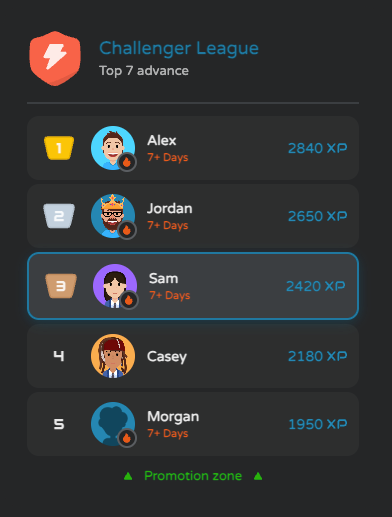
Leaderboards rank users against each other. They're the most social of the gamification mechanics—and the most dangerous to get wrong.
Why leaderboards work:
- Social comparison: We naturally want to know where we stand relative to others.
- Competition: Some users are motivated by the desire to win or climb.
- Recognition: Being at the top is public validation of effort.
The leaderboard problem: Global, all-time leaderboards discourage new users. If you joined a fitness app today and saw the #1 user with 50,000 workouts, you'd never compete. You might not even try.
Design patterns that work:
| Type | How it works | Best for |
|---|---|---|
| Friends-only | Rank among connected users | Social apps, fitness trackers |
| Cohort-based | Rank among users who joined the same week/month | Learning apps, games |
| Time-windowed | Weekly or daily resets | Keeps competition fresh |
| Skill-tiered | Bronze/Silver/Gold leagues | Prevents skill gap discouragement |
| Regional | Rank within city/country | Location-based apps |
Combining leaderboard types: The most effective systems layer multiple approaches. Duolingo's model uses skill-tiered leagues that reset weekly—users compete in Bronze, Silver, or Gold leagues, with top performers promoting up and bottom performers relegating down. This gives everyone a fresh start while keeping competition balanced.
Recommendations by app type:
| App Type | Recommended Approach | Why |
|---|---|---|
| Fitness/Health | Friends + weekly reset | Social accountability without intimidating newcomers |
| Language learning | Leagues + weekly promotion/relegation | Balanced competition, fresh stakes each week |
| Productivity | Team/workspace leaderboards | Competition among colleagues, not strangers |
| Education | Cohort-based (class/course) | Relevant peers, not random internet strangers |
| Finance | Personal bests, minimal competition | Money is sensitive; most users don't want to compare publicly |
When NOT to use leaderboards: Skip them when the activity is deeply personal (meditation, therapy, journaling), when competition would undermine collaboration, or when your power users would dominate permanently.
Leaderboard toxicity is real. In some communities, leaderboards create unhealthy competition or gaming behavior. Consider opt-in leaderboards, hiding exact rankings beyond the top N, or emphasizing personal bests over head-to-head competition.
Points
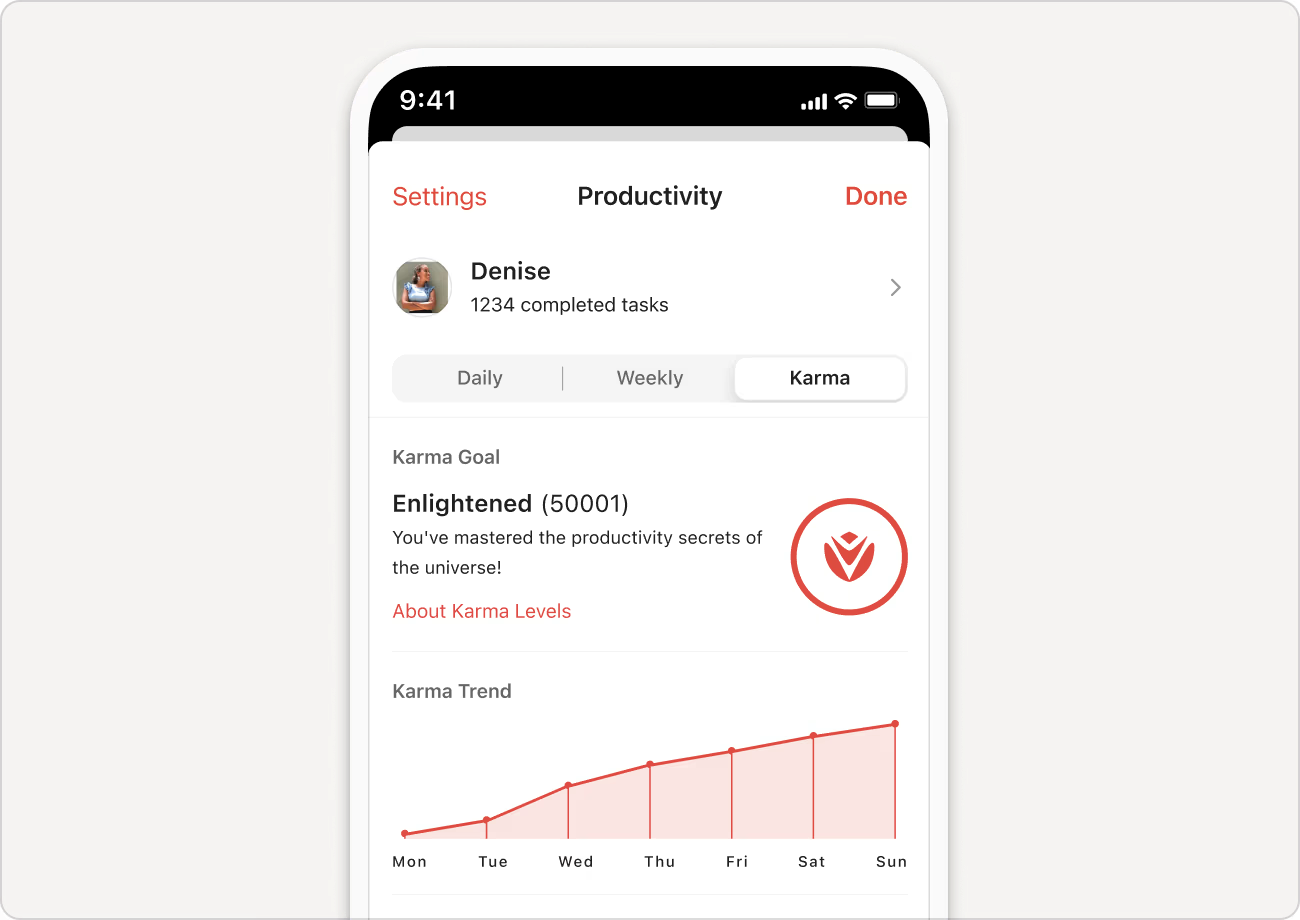
Points are numeric values that change based on user actions. They're the most flexible primitive—almost every gamification system has some form of points under the hood.
Why points work:
- Visible progress: Numbers going up feels good. It's measurable and concrete.
- Quantified effort: Points make contributions tangible and comparable.
- System fuel: Points power other mechanics—leaderboard rankings, level thresholds, unlock conditions.
Types of points systems:
| Type | Behavior | Use Case | Examples |
|---|---|---|---|
| XP | One-way accumulation, never decreases | Progression and leveling | Duolingo XP, game character levels |
| Currency | Earned and spent | Rewards economy, unlocking content | In-app coins, virtual wallets |
| Reputation | Can increase or decrease | Community quality, trust signals | Stack Overflow rep, Reddit karma |
| Energy | Depletes with use, regenerates over time | Metering engagement, monetization | Candy Crush lives, mobile game stamina |
When to use each:
- XP: When you want users to feel perpetual growth. Good for learning and fitness apps where "I'm level 47" creates identity. XP should never go down—that feels punitive.
- Currency: When you have things to unlock or purchase. Users earn coins through activity, spend them on cosmetics or content. Watch for inflation.
- Reputation: When community quality matters. Upvotes and downvotes adjust reputation. High-rep users get privileges. Works in forums, marketplaces, Q&A sites.
- Energy: When you want to limit sessions or create urgency. Users run out and must wait (or pay). Effective for monetization, but can feel manipulative if overused.
Mixing systems: Many apps combine multiple point types—XP for progression plus currency for unlocks, or reputation for trust plus XP for activity. This is exactly the pattern behind Trophy's reputation and status solutions — built for products that need to reward credibility and manage trust at scale.
Point economy pitfalls: Inflation makes early thresholds trivial. Meaningless numbers get ignored. Imbalanced earning leads users to exploit the easy path. Plan your economy before launch.
Challenges
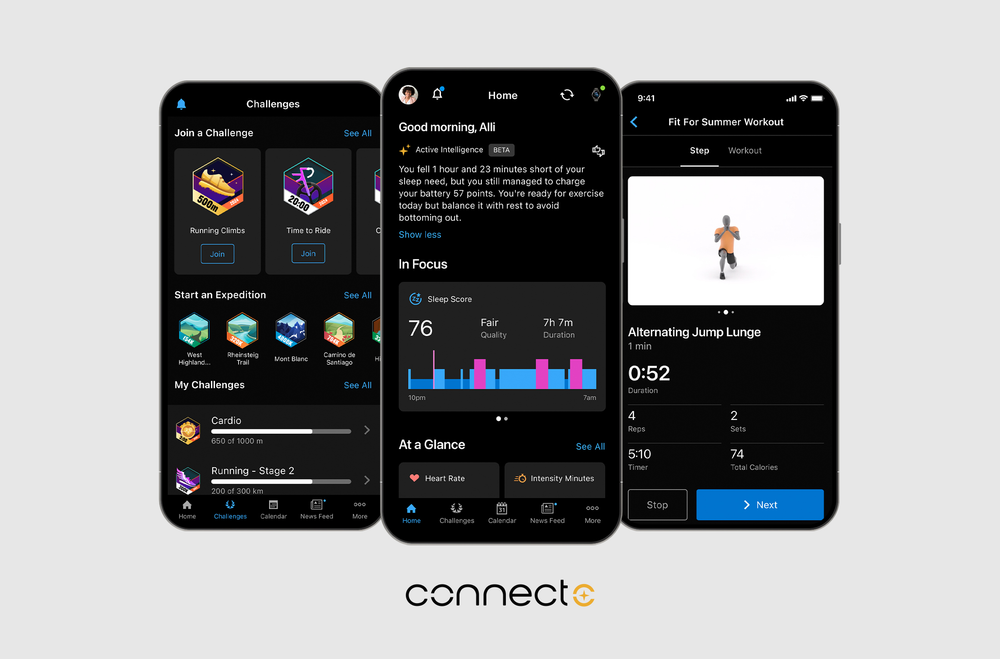
Challenges are time-bound goals that focus user effort on specific objectives. Unlike streaks (ongoing) or achievements (permanent), challenges create urgency.
Why challenges work:
- Urgency: "Complete by Sunday" motivates differently than "complete eventually."
- Novelty: Rotating challenges keep the experience fresh.
- Focus: Challenges direct attention to specific features or behaviors you want to promote.
Types of challenges:
| Type | Duration | Example |
|---|---|---|
| Daily | 24 hours | "Complete 3 lessons today" |
| Weekly | 7 days | "Run 20 miles this week" |
| Monthly | 30 days | "Meditate every day in January" |
| Seasonal/Event | Variable | "Summer fitness challenge" |
| Community | Variable | "Together, we'll hit 1 million steps" |
Solo vs community challenges: Solo challenges offer personal goals with personal rewards. Community challenges create belonging and social accountability—"We're all in this together."
Challenges as a marketing tool: Most gamification mechanics are internal. Challenges are different—they can be external-facing and drive acquisition.
- Time-bound = shareable moment. "Join the January fitness challenge" is a campaign, not just a feature.
- Community challenges create FOMO. "50,000 people are doing this challenge" is social proof.
- Influencer tie-ins. "Complete the [Influencer Name] Challenge" brings their audience to your app.
- Seasonal relevance. New Year, summer, back-to-school—challenges align with moments when people are already motivated.
The loop: Marketing promotes the challenge → new users join to participate → challenge mechanics retain them → they share progress → more new users join. This makes challenges the bridge between acquisition and retention—the only gamification mechanic that pulls double duty.
Avoid challenge fatigue. If there's always a challenge running, they stop feeling special. Seasonal or periodic challenges maintain excitement.
Gamification by App Type
The right mechanic depends on the behavior you're reinforcing, so here's a quick map by app type, with a deeper guide for each where one exists:
| App type | Best-fit mechanic | Go deeper |
|---|---|---|
| Fitness & workout | Streaks plus friend leaderboards for workout consistency | How to gamify a fitness app |
| Personal finance & savings | Progress bars and milestone badges tied to savings goals | How to gamify a finance app |
| Social apps | Friend-based streaks and status leaderboards | How to gamify a social app |
| Study & revision | Daily streaks plus spaced-repetition XP | How to gamify a study app |
| Language learning | Streak freezes, an XP economy, and skill-tiered leagues | How to gamify a language learning app |
| Habit trackers | Daily streaks with grace periods and freezes | How to gamify a habit tracker app |
| Charity & donation | Impact-linked milestone badges plus streaks for recurring gifts | How to gamify a charity donation app |
Technical Considerations: Build vs Buy
Before diving into implementation, you need to decide: build the gamification system yourself, or use an existing API?
There are legitimate reasons to build in-house. But most teams underestimate what's involved.
The Hidden Complexity of Building In-House
Streaks sound simple. They're not.
Timezone handling alone is tricky. Does a user in Tokyo and a user in New York both reset at the same time? Probably not—you need per-user timezone logic. What if someone completes an activity at 11:59 PM, and your server processes it at 12:01 AM? Did they just lose their streak?
Then there's freeze logic. How do freezes get applied—automatically or manually? What if a user has 2 freezes and misses 3 days? And twice a year, daylight saving time creates 23-hour or 25-hour days. Your streak logic needs to handle all of this.
Achievements seem straightforward. They're not.
"Complete 100 workouts" means persisting progress (73/100) and checking thresholds on every event. "Complete 10 workouts in a single week" requires windowed aggregation. "10 trips in Central Europe" means parsing event attributes, building filter logic, and indexing appropriately.
Then there's the operational burden. Product wants to add a new achievement. Do they file an engineering ticket and wait for the next sprint? Or do you build them a dashboard? That dashboard is another project—with its own UI, validation, and edge cases.
Leaderboards at scale are hard.
Real-time ranking for 100,000 users on every event is expensive. Weekly leaderboards mean tracking 7-day rolling windows with timezone considerations. Leagues add matchmaking complexity—dividing users into tiers, handling promotion and relegation, ensuring balanced sizes.
Users also want history: "You moved from #47 to #12 this week." That means storing historical snapshots and computing deltas. It's not just current rank—it's rank over time.
Challenges add operational complexity.
Challenges need start dates, end dates, and timezone-aware boundaries. "January challenge" means January 1 00:00 to January 31 23:59—but in whose timezone? Community challenges require real-time aggregation across all participants.
Marketing wants to launch a Valentine's Day challenge next week. Waiting for a sprint doesn't work. So you need a dashboard where non-technical folks can create, schedule, and manage challenges. That's a significant UI project on top of the backend.
User preferences add another layer.
Not every user wants notifications or leaderboard visibility. Respecting preferences means storage, a settings UI, enforcement logic on every query, and cross-platform sync.
Proving ROI requires experimentation.
You'll want to A/B test gamification to prove it's improving retention. That means cohort assignment, separate analytics tracking, and statistical rigor. If you don't have an experimentation platform already, you're building one just to validate gamification.
The real timeline:
- Simple implementation (streaks only, no edge cases): 2-3 weeks
- Robust implementation (multiple mechanics, edge cases handled): 6-12 months
- Maintenance and iteration: Ongoing
And that estimate doesn't include schema migrations, bug fixes as edge cases surface, performance optimization as you scale, or building the dashboard to configure everything.
When to Build In-House
Building in-house makes sense in narrow situations:
Highly custom mechanics. If your gamification involves novel mechanics that don't fit standard patterns, a general-purpose API may not help. You'll spend as much time working around it as building from scratch. This is rare—most apps use standard mechanics.
Extreme regulatory constraints. If you're in a heavily regulated industry with strict on-premise requirements—certain government contracts, classified environments—SaaS may not be an option.
When to Use a Gamification API
Most product teams should use an existing API. Here's why:
Speed to market. A gamification API gets you from zero to streaks in days, not months. If retention is an urgent problem, waiting 6 months for a custom build isn't realistic.
Engineering resources are constrained. Most teams have a backlog of features to build. Spending 6 months on gamification infrastructure means 6 months not building product features. An API lets you add gamification without derailing your roadmap.
You want proven patterns. Gamification APIs have solved the edge cases already. Timezones, streak freezes, leaderboard performance—these are solved problems. Why re-solve them?
You want to iterate quickly. With an API, adding a new achievement is a configuration change, not a code deploy. You can experiment with mechanics without engineering tickets.
You want to unblock non-technical teams. With a dashboard, product managers can tweak achievement thresholds. Marketing can launch seasonal challenges. Growth can experiment with leaderboard configurations. Nobody's waiting on engineering.
You get user preferences out of the box. Building a preferences system means storage, UI, enforcement logic, and sync. With an API like Trophy, you get a user preferences endpoint that handles this.
You can prove ROI with built-in experimentation. Trophy automatically assigns users to control or experimental groups and tracks retention for each. You just hide the gamification UI from control users—Trophy handles cohort assignment and analytics.
The Hybrid Approach
Some teams build simple mechanics in-house and use APIs for complex ones:
- Keep a points system in house if it's payments-related and critical to have in-house (for example an in-app currency)
- Use an API for streaks (timezone handling) and leaderboards (ranking at scale)
This can work, but adds integration complexity. You now have two systems to maintain and keep in sync.
Implementation Guide
This section walks through integrating a gamification API, using Trophy as the example. The concepts apply broadly to any event-driven gamification system.
Integration Architecture
The event-driven model is straightforward: your app sends events ("user completed a workout," "user finished a lesson"), and the gamification API tracks state (streak counts, achievement progress, leaderboard rankings). You query the API to display current state in your UI.
[Your App] → sends events → [Gamification API] → tracks state
[Your App] ← queries state ← [Gamification API]
[Your App] ← receives webhooks ← [Gamification API] (optional)
Where it fits in your stack:
- Backend integration (recommended): Your server sends events, ensuring data integrity and preventing cheating
- Client SDK: For read operations (displaying streaks, achievements) and less critical writes
- Webhooks: For triggering notifications, emails, or other systems when milestones are hit
Trophy provides SDKs for Node.js, Python, Ruby, Go, and more. You can also call the API directly from any language with a native HTTP client.
Step-by-Step Implementation
Step 1: Define your metrics
Metrics are the user actions you want to track. Before writing code, decide:
- What actions matter? (
workouts_completed,lessons_completed,expenses_logged) - What's the unit? (count, minutes, dollars)
- What frequency? (daily, anytime)
Create these in the Trophy dashboard before instrumenting your code.
Step 2: Instrument event tracking
When a user completes an action, send an event to Trophy:
// Example: User completed a workout
trophy.metrics.event("workouts-completed", {
  user: { id: user.id },
  value: 1 // or duration in minutes, etc.
});
This single integration point powers all your gamification features—streaks, achievements, and leaderboards all derive from the same events.
Step 3: Configure mechanics in the dashboard
With events flowing, configure the mechanics:
- Streaks: Which metric(s) count toward the streak? What's the daily threshold?
- Achievements: Set conditions (complete 100 workouts, reach level 10)
- Leaderboards: Choose the metric, time window, and segmentation
No code changes needed to add or modify mechanics—just dashboard configuration.
Step 4: Build the UI
Use Trophy's streaks API, points API, leaderboards API, and achievements API to retrieve gamification state and display it in your application:
// Get user's current streak
const streak = await trophy.users.streak(user.id);
// streak.current, streak.longest, streak.freezesRemaining

// Get user's achievements
const achievements = await trophy.users.achievements(user.id);
// Array of unlocked + in-progress achievements

// Get leaderboard
const leaderboard = await trophy.leaderboards.get("weekly-workouts", {
  limit: 10
});
Step 5: Set up webhooks (if needed)
Webhooks notify your system when gamification events happen. You only need them if you're triggering something external to Trophy:
- User unlocks an achievement → Send push notification via your own system
- User's streak is at risk → Trigger an email through your marketing platform
- User hits a milestone → Grant a reward in your app's inventory
If you're just displaying gamification state in your UI, you don't need webhooks—the API queries in Step 4 are enough.
Common Integration Patterns
Pattern 1: Mobile app with server-side tracking
Mobile app calls your backend when user completes actions. Your backend sends events to Trophy. Mobile app queries Trophy (directly or via your backend) to display state.
Best for: Apps where you already have a backend and need data validation.
Pattern 2: Web app with client-side SDK
JavaScript SDK in the browser sends events directly to Trophy. SDK also handles displaying streaks, achievements, etc.
Best for: Simple web apps, prototypes, apps without heavy backend logic.
Pattern 3: Hybrid
Server handles critical events (purchases, completions that affect other systems). Client handles reads and UI updates. Webhooks trigger server-side actions (emails, notifications).
Best for: Most production apps—balances reliability with responsiveness.
Timeline Expectations
| Phase | Duration | What's involved |
|---|---|---|
| Setup | ~1 hour | Account creation, SDK installation, API key setup |
| First metric | ~1 hour | Define metric, instrument one event, verify in dashboard |
| Full integration | 1-2 days | All events instrumented, mechanics configured |
| UI implementation | 2-5 days | Build streak display, achievement walls, leaderboards |
| Polish | 1-2 days | Animations, notifications, edge case handling |
Total: ~1-2 weeks for a full gamification implementation, versus 6-12 months building from scratch.
For complete implementation guides, see:
- How to Build a Streaks Feature
- How to Build an Achievements Feature
- How to Build a Leaderboards Feature
- How to Build an XP Feature
- Gamified Study Platform Guide — a complete example
Design Best Practices
These principles apply regardless of what mechanics you implement or what tools you use.
Start Simple, Then Layer
Don't launch with streaks AND achievements AND leaderboards AND challenges AND points. A new user seeing all of these at once is overwhelmed. The interface feels cluttered, the mechanics compete for attention, and it'll be impossible to measure the impact of each individual feature on your app's retention.
Pick one mechanic that fits your core loop. Ship it. Measure the impact. Then add more.
A good sequence:
- Streaks (if daily or weekly habits matter to your product)
- Achievements (once you know what milestones to celebrate)
- Leaderboards (if you have enough users for meaningful competition)
- Points (once you have enough data to balance the system and know what to reward)
Each mechanic needs tuning. If you launch everything at once, you won't know what's working and what's noise. You'll also make it harder to measure the impact of any single feature.
Make Progress Visible
Gamification only works if users can see it. Hidden streaks don't motivate.
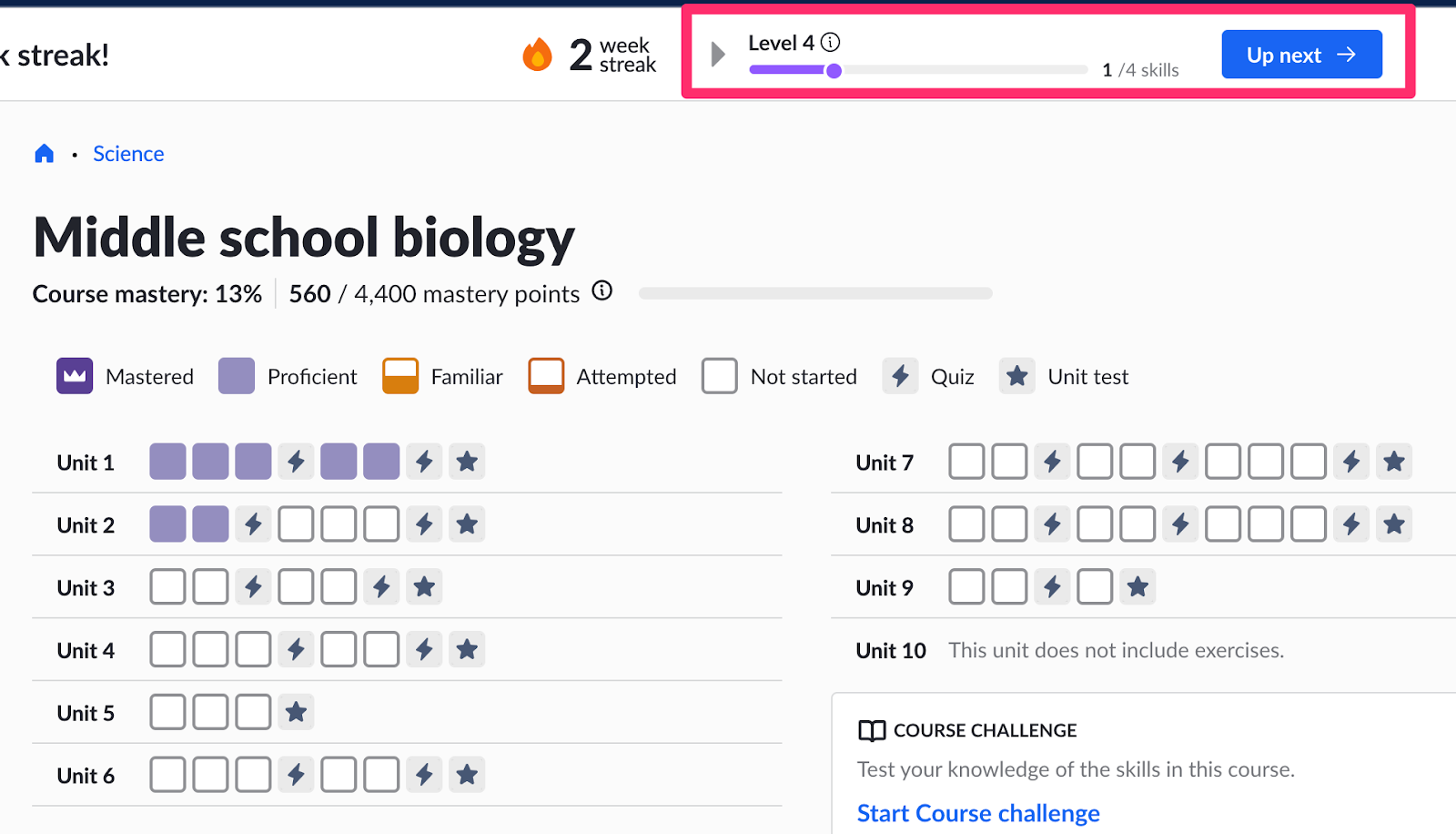
Visibility patterns:
- Home screen presence: Streak counters and XP bars should be visible on the main screen, not buried in settings or profile pages
- Progress indicators: "73/100 workouts toward your next achievement" is more motivating than a locked badge with no context
- Session feedback: Show what was earned at the end of each session ("You earned 50 XP and maintained your 12-day streak")
The gamification should feel integrated into the experience, not hidden away where users forget it exists.
Celebrate Wins Appropriately
The moment of achievement is your chance to create an emotional peak. Don't waste it on a tiny toast notification that disappears in two seconds.
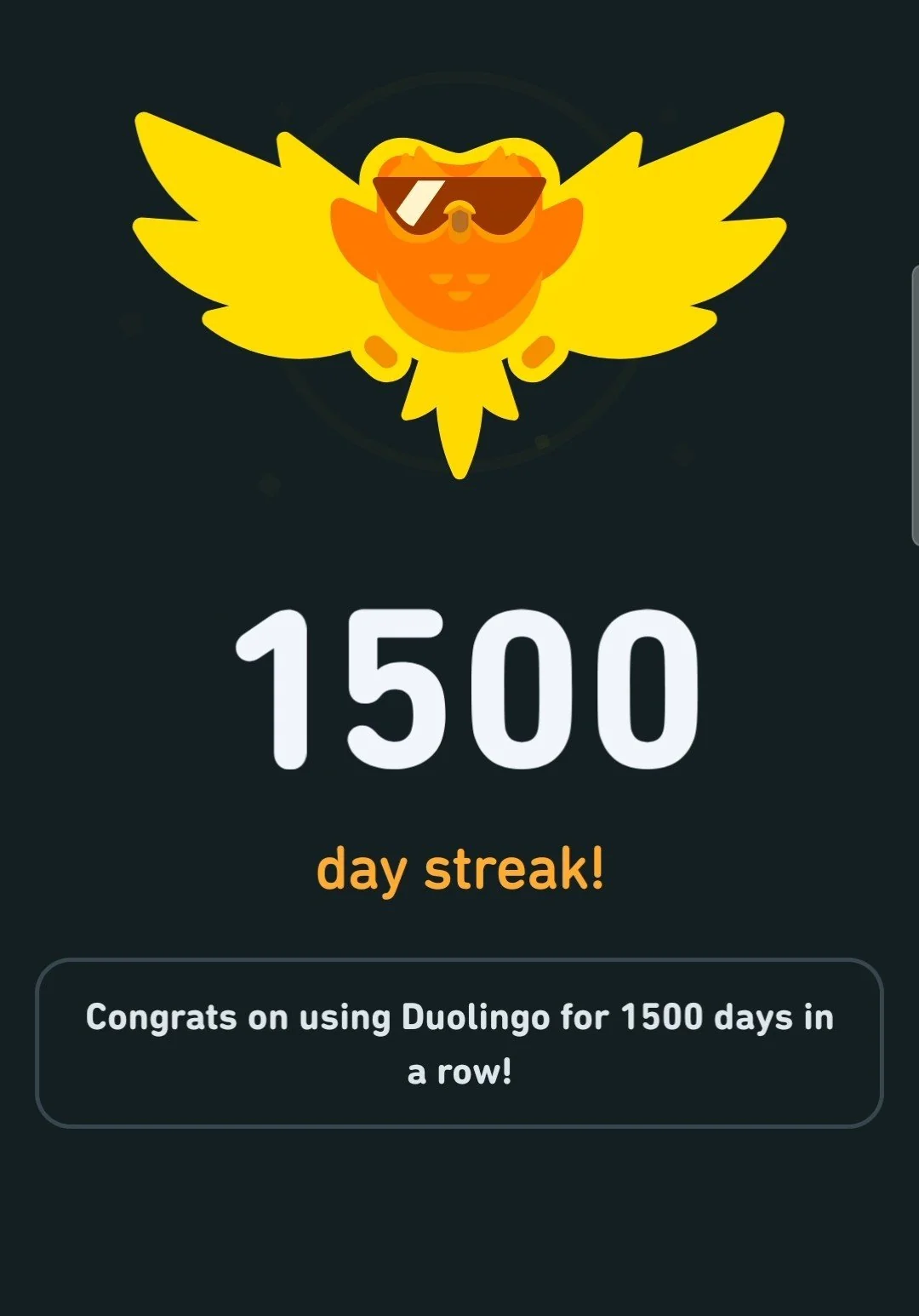
Celebration hierarchy:
| Achievement type | Celebration level |
|---|---|
| Daily streak maintained | Subtle (counter increment, small animation) |
| Weekly milestone | Medium (modal with animation, share option) |
| Major achievement | Big (full-screen celebration, sound, confetti) |
| Rare/legendary | Epic (personalized message, shareable graphic) |
But don't overdo it. If every action triggers a celebration, users will tune them all out. Save the big moments for actual big moments. A user who sees confetti every day stops noticing confetti.
Give Users Control
Not everyone wants notifications. Not everyone wants to appear on leaderboards. Respect user preferences.
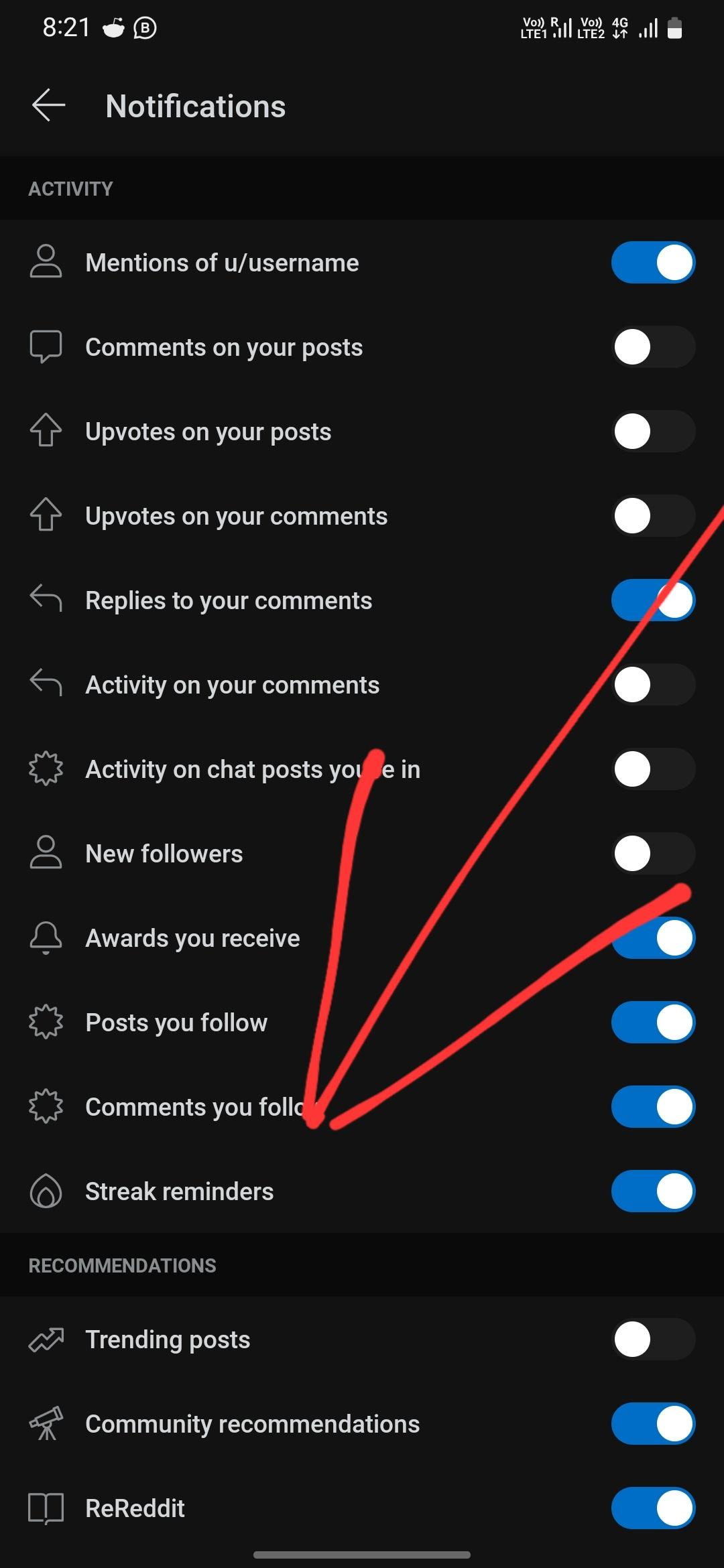
Controls to offer:
- Notification frequency (daily, weekly, important only, none)
- Leaderboard visibility (public, friends only, private)
- Share prompts (show, don't show)
- Streak reminders (on/off, timing)
Pushy gamification creates resentment. Users who opt in to notifications are more engaged than users who are annoyed by defaults they didn't ask for. Give people agency over their experience.
Test Before Full Rollout
Gamification mechanics that seem obvious often need adjustment.
What to test:
- Are achievements too easy or too hard? If 90% of users unlock something, it's not special. If 1% do, it might be impossible.
- Is the streak threshold right? Too hard and users give up. Too easy and there's no challenge.
- Do leaderboards motivate or discourage? Watch for users who disengage after seeing top scores they can't reach.
A/B testing approach: Roll out gamification to a percentage of users, compare retention and engagement to a control group, then iterate. Don't guess—measure.
Avoid Punitive Mechanics
Gamification should reward, not punish.
Don't do:
- Public shame for broken streaks
- Penalties for inactivity beyond losing streak status
- Leaderboards that mock low performers
Users should feel good about engaging, not anxious about missing a day. If your gamification makes users feel bad, they'll eventually leave to escape the negative feelings—exactly the opposite of what you want.
Measuring Success
If you can't measure the impact, you can't justify the investment. Here's how to know if gamification is working.
Retention Metrics
Gamification's primary purpose is retention. Use a tool like our mobile app retention calculator to understand your retention curve and how gamification impacts this.
Key metrics:
- D7 retention: Percentage of users who return 7 days after signup
- D30 retention: Percentage who return 30 days after signup
- Retention curves: Plot retention over time. Gamification should flatten the curve (slower drop-off).
How to isolate impact:
Compare cohorts before and after gamification launch. Or run an A/B test with gamification enabled for one group. Look for statistically significant differences in retention.
If you're using Trophy, experimentation is built in. Trophy automatically assigns users to control or experimental groups and tracks retention and engagement separately for each. You just hide the gamification UI from control users—Trophy handles cohort assignment and provides the analytics to compare.
Engagement Metrics
Beyond retention, measure how users interact with the gamification features themselves.
| Metric | What it tells you |
|---|---|
| Streak participation rate | % of active users with active streaks |
| Average streak length | How long users maintain streaks before breaking |
| Streak recovery rate | % of users who restart after losing a streak |
| Achievement unlock rate | % of users unlocking each achievement |
| Leaderboard views | How often users check rankings |
| Share rate | % of achievements/milestones shared |
These metrics help you understand whether users are actually engaging with the gamification you built, not just whether they're retaining overall.
Calibration Signals
Some metrics tell you if your mechanics need tuning:
Achievements:
- If >80% of users unlock an achievement, it's too easy (not special)
- If <5% unlock it, it's too hard (users give up)
- Sweet spot: 20-50% for "stretch" achievements, 70-80% for onboarding achievements
Streaks:
- If most users never get past a 3-day streak, the daily threshold might be too high
- If everyone has a 30-day streak, it's too easy (no challenge)
- Watch the distribution: healthy apps have a long tail of dedicated streakers
Leaderboards:
- If the same 10 users are always on top, you need better segmentation
- If engagement drops after users see the leaderboard, it's demotivating—consider friend or cohort boards
Business Metrics
Ultimately, gamification should impact business outcomes.
- Conversion rate: Do gamified users convert to paid at higher rates?
- Lifetime value (LTV): Do users with long streaks have higher lifetime value?
- Churn rate: Do users who engage with achievements show a lower churn rate?
- Referral rate: Do milestone shares drive new signups?
Connect your gamification metrics to the numbers that matter for your business. Retention improvements should translate into revenue.
What Success Looks Like
Based on industry benchmarks and Trophy customer data:
| Metric | Baseline | Good | Great |
|---|---|---|---|
| D7 retention lift | 0% | 5-10% | 15%+ |
| D30 retention lift | 0% | 8-12% | 16%+ |
| Daily active users with streaks | 0% | 30-40% | 50%+ |
For reference: RevisionDojo saw a 9% retention lift. Campfire saw 22%. If you're seeing double-digit retention improvements, your gamification is working. If metrics are flat, revisit your mechanic choices and calibration.
Case Studies
Real results from teams that added gamification to their apps.
RevisionDojo – Edtech (350k Students)
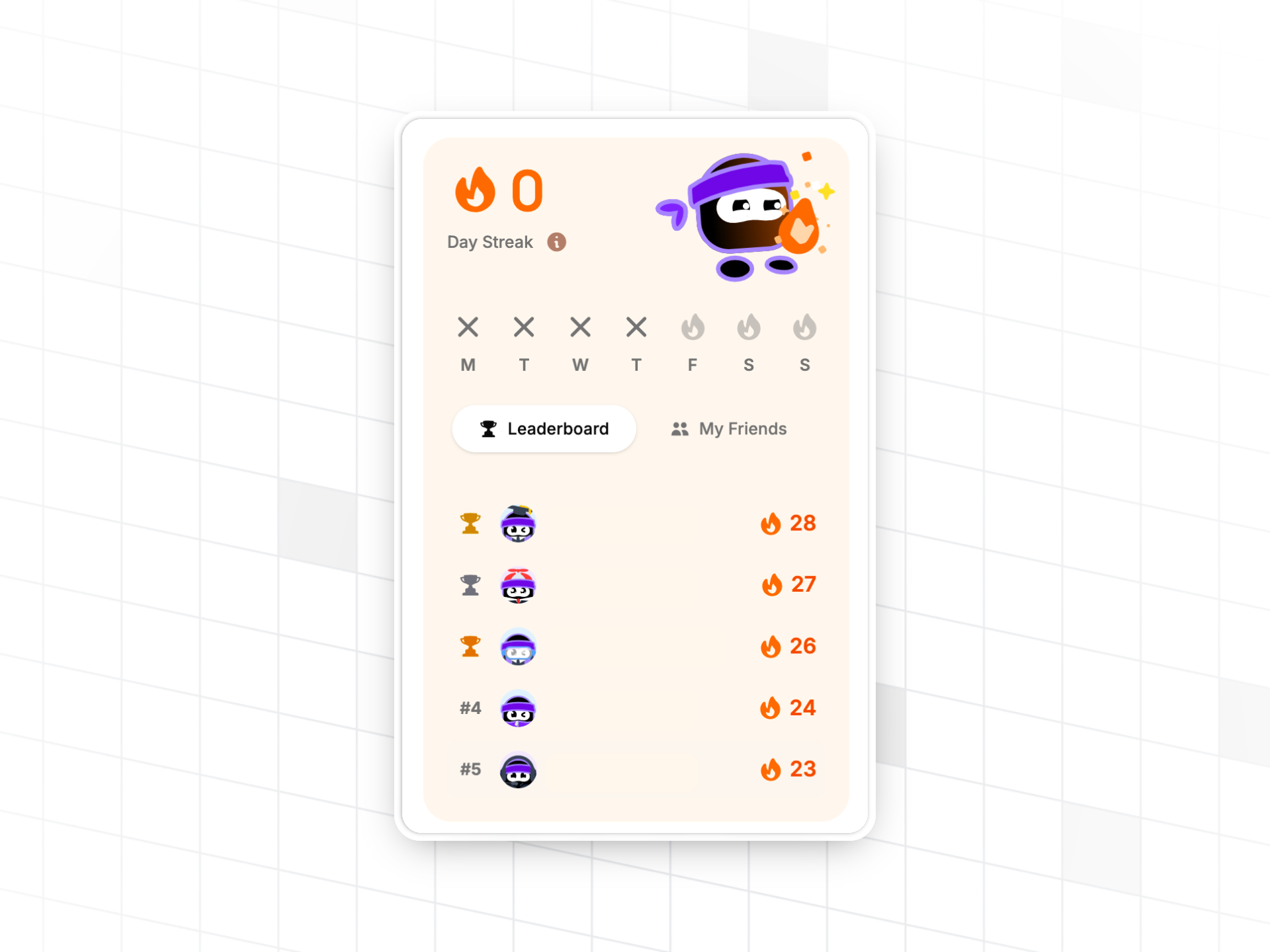
RevisionDojo is a study platform helping students prepare for exams. They added gamification to create a more engaging study experience.
Results:
- 9% boost in retention
- 1-week implementation time
What they built: Streaks and achievements to encourage daily study habits. Students maintain study streaks and unlock achievements as they progress through flashcards and practice exams. The gamification makes exam prep feel less like a chore and more like progress toward a goal.
Campfire – Writing Software (300k Authors)
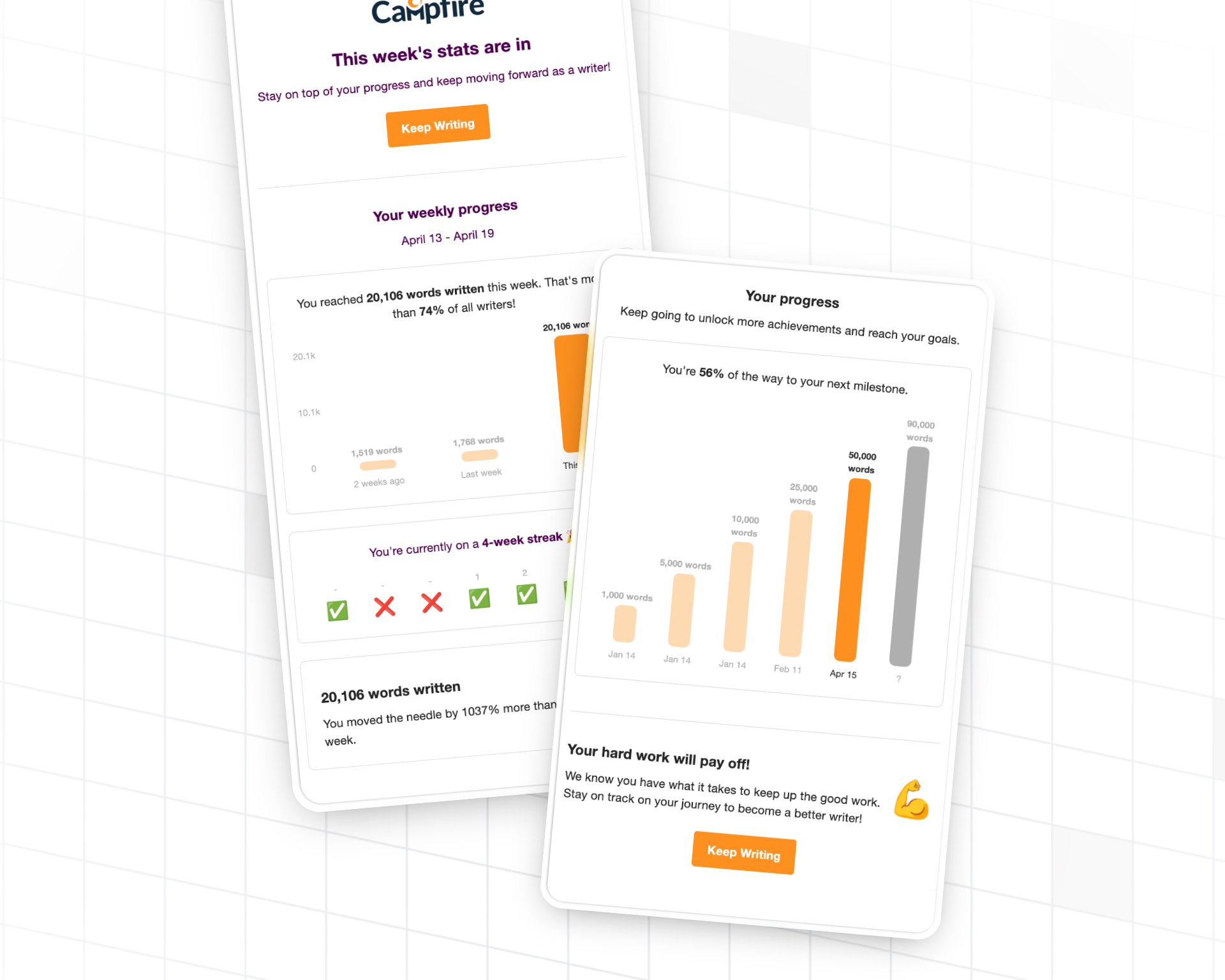
Campfire helps authors build consistent writing habits. They used gamification to turn sporadic writing into regular practice.
Results:
- 22% boost in retention
- 3-day implementation time
What they built: Weekly writing streaks with milestones. Authors see their consistency visualized and are motivated to maintain their writing habit. The weekly cadence fits the rhythm of creative work better than daily streaks would.
Lexioo – Language Learning (1M Downloads)
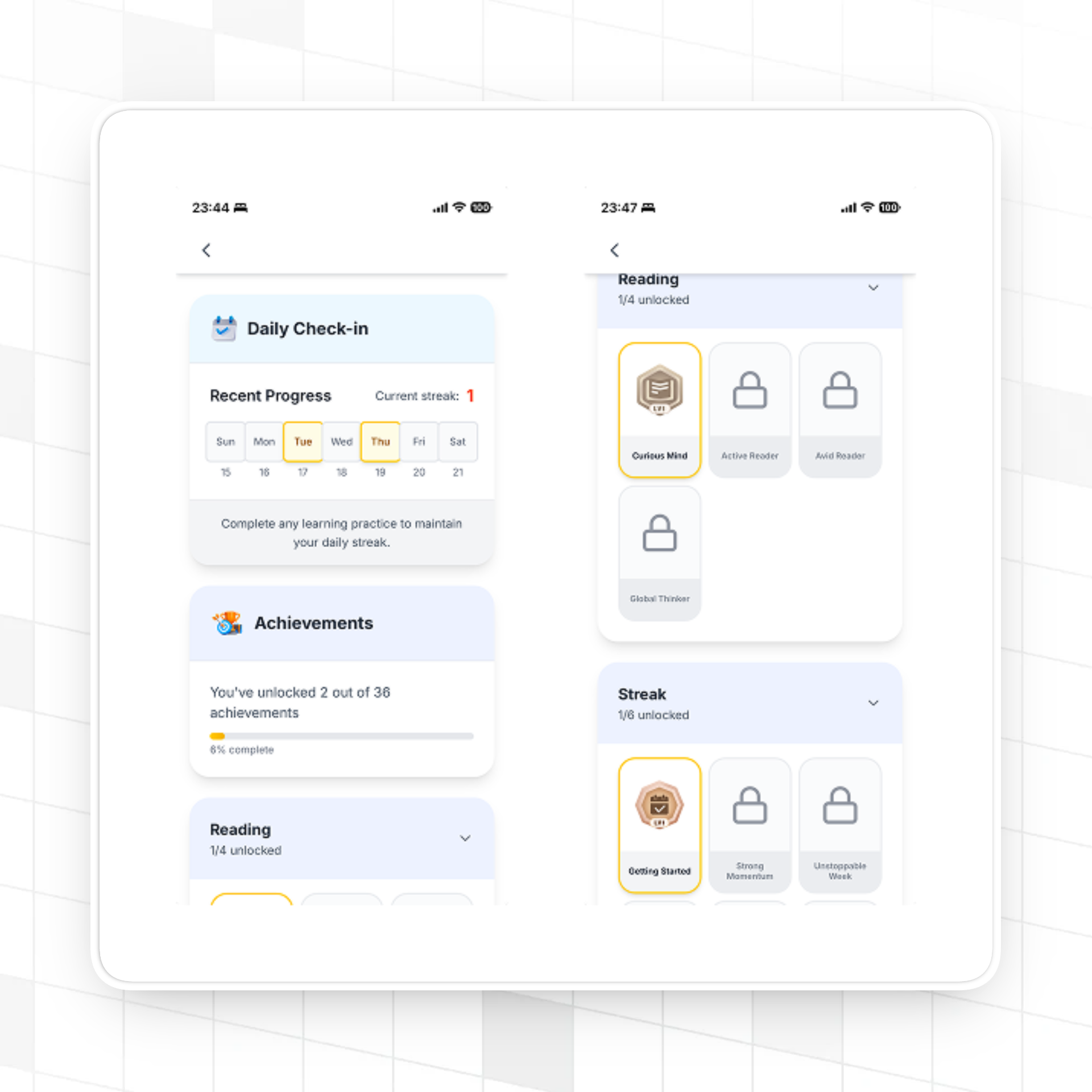
Lexioo helps professionals, students, and immigrants become fluent English speakers. Gamification makes the learning process more engaging over the long journey to fluency.
What they built: XP, achievements, and progress tracking to keep learners motivated. Language learning takes months or years—gamification provides the intermediate milestones that keep users going when fluency still feels far away.
Industry Benchmarks
Based on Trophy customer data:
- Average retention boost: 16% (14-day retention)
- Average implementation time: 1-2 weeks
- Average dev time saved: 6 months vs building in-house
These numbers represent real production deployments across edtech, fitness, productivity, and consumer apps. Your results will vary based on your product and implementation, but double-digit retention improvements are achievable.
Conclusion
Gamification works when it reinforces behaviors users already want to do. It fails when it's layered on top of a product that doesn't deliver value.
The approach:
- Start with the behavior you want to encourage
- Pick the mechanic that fits (streaks for habits, achievements for milestones, leaderboards for competition)
- Decide whether to build or buy based on your team's capacity and timeline
- Launch simple, measure, iterate
If you're building a consumer app and retention matters, gamification is worth the investment. The teams we've seen succeed treat it as core product infrastructure, not a marketing gimmick. They invest in getting the mechanics right, they measure the impact, and they iterate based on data.
The patterns are well-established. The psychology is understood. The tools exist. What's left is execution—and now you have a roadmap.
Ready to add gamification? Try Trophy free — no credit card required.
Frequently Asked Questions
How long does it take to add gamification to an app?
With a gamification API like Trophy, most teams complete a full implementation in 1-2 weeks. This includes setup, event instrumentation, configuring mechanics, and building the UI. Building from scratch takes 6-12 months for a robust implementation.
What's the difference between points and XP?
Points is the umbrella term for numeric values that change based on user actions. XP (experience points) is one type—it accumulates over time and never decreases, representing total progress. Other types include currency (earned and spent), reputation (can go up or down), and energy (depletes and regenerates).
Do streaks actually improve retention?
Yes. Streaks leverage loss aversion—users don't want to lose their progress. Apps with streak mechanics consistently see retention improvements. The key is pairing streaks with freezes and recovery mechanics so users don't quit entirely after losing a long streak.
Should I use daily or weekly streaks in my app?
It depends on your product. Daily streaks work well for activities that benefit from daily practice—language learning, meditation, fitness. Weekly streaks fit activities with a natural weekly rhythm—writing, meal planning, review sessions. Match the streak cadence to the behavior you're encouraging.
How do I prevent leaderboard gaming and cheating in my app?
Server-side validation is essential—don't trust client-reported events for anything that affects leaderboards. Beyond that, design leaderboards that reward the right behavior. If users are gaming your system, your incentives might be misaligned. Consider what you're actually measuring and whether it reflects meaningful engagement.
Can I add gamification without annoying users?
Yes. Give users control over their experience—notification preferences, leaderboard visibility, share prompts. Don't overdo celebrations. Make gamification feel integrated rather than intrusive. The best gamification enhances the core experience; it doesn't interrupt it.
What's the ROI of gamification?
Typical ROI comes from retention improvements. A 10-20% retention lift translates directly into higher customer lifetime value. For subscription apps, this means lower churn and higher revenue. For ad-supported apps, more sessions means more impressions. The specific ROI depends on your business model, but the retention → revenue connection is direct.
Get the latest on gamification
Product updates, best practices, and insights on retention and engagement — delivered straight to your inbox.
The gamification layer for consumer apps
Drop-in gamification features you can ship this sprint. Increase retention and user engagement without sacrificing your roadmap.
 Book a call