
Streak bugs from timezone mishandling are the most common category of support tickets for consumer apps with a global user base. A user in Sydney completes their lesson at 11:55 PM local time. Your server is running on UTC, which makes it tomorrow. The streak breaks. The user is correct that they acted within the day. Your code is also technically correct. The problem is that both "days" refer to different things, and there is no graceful failure — the streak just disappears.
The fix is not complicated in principle, but the implementation has enough sharp edges that most teams get it wrong at least once in production. This post covers the correct approach to UTC storage and local-time evaluation, the two DST cases that will catch you even if you do everything else right, the per-user midnight scheduling problem, and what happens when users travel. At the end, there's a short section on how Trophy handles all of it so you understand what you're getting if you use the platform.
Why UTC Streak Logic Breaks
The naive approach to streak evaluation compares UTC timestamps:
// Broken: compares UTC dates, not the user's local dates
function didUserActToday(lastActivityAt: Date): boolean {
  const now = new Date();
  return (
    now.getUTCFullYear() === lastActivityAt.getUTCFullYear() &&
    now.getUTCMonth() === lastActivityAt.getUTCMonth() &&
    now.getUTCDate() === lastActivityAt.getUTCDate()
  );
}
For a user in UTC+10, this produces the wrong answer for the last ten hours of every calendar day. Their local "today" started at 2:00 PM yesterday UTC, but getUTCDate() still says yesterday until midnight UTC. Their activity from 2:00 PM to midnight local time is treated as belonging to the previous day on the server.
A slightly less naive version checks "within the last 24 hours" rather than comparing calendar dates:
// Still broken: fixed-duration arithmetic doesn't match calendar days
function didUserActYesterday(lastActivityAt: Date): boolean {
  const twentyFourHoursAgo = Date.now() - 24 * 60 * 60 * 1000;
  return lastActivityAt.getTime() > twentyFourHoursAgo;
}
This version fails on DST transitions, which are covered below, and also fails for any streak logic that needs to match calendar days rather than rolling 24-hour windows.
The root cause in both cases is the same: streak periods are calendar constructs (a "day" is midnight to midnight in some timezone), and calendar constructs require timezone context to evaluate correctly.
The Correct Foundation: Store UTC, Evaluate Locally
All timestamps go into your database as UTC. This is not optional — mixing timezone-local timestamps in storage creates a different class of problems that are harder to fix. The timezone awareness lives at evaluation time, not storage time.
The correct period boundary check converts both "now" and the last activity timestamp into the user's local calendar date, then compares calendar dates:
import { toZonedTime, format } from 'date-fns-tz';

// Get the local calendar date string for a UTC timestamp in a given timezone
function toLocalDate(utcDate: Date, ianaTimezone: string): string {
  const zoned = toZonedTime(utcDate, ianaTimezone);
  return format(zoned, 'yyyy-MM-dd', { timeZone: ianaTimezone });
}

// Check whether a user's last activity falls on the local calendar day
// immediately before today — i.e. they completed yesterday's period
function completedYesterday(
  lastActivityAt: Date,
  ianaTimezone: string
): boolean {
  const todayLocal = toLocalDate(new Date(), ianaTimezone);
  const activityLocal = toLocalDate(lastActivityAt, ianaTimezone);

  // Build yesterday's date string by subtracting one day from today
  const yesterday = new Date();
  yesterday.setDate(yesterday.getDate() - 1);
  const yesterdayLocal = toLocalDate(yesterday, ianaTimezone);

  return activityLocal === yesterdayLocal;
}

// Full streak evaluation: did the user act today or yesterday?
function evaluateStreak(
  lastActivityAt: Date | null,
  ianaTimezone: string
): 'extended' | 'maintained' | 'broken' {
  if (!lastActivityAt) return 'broken';

  const todayLocal = toLocalDate(new Date(), ianaTimezone);
  const activityLocal = toLocalDate(lastActivityAt, ianaTimezone);

  const yesterday = new Date();
  yesterday.setDate(yesterday.getDate() - 1);
  const yesterdayLocal = toLocalDate(yesterday, ianaTimezone);

  if (activityLocal === todayLocal) return 'extended';
  if (activityLocal === yesterdayLocal) return 'maintained';
  return 'broken';
}
Two things to note about this pattern. First, the timezone parameter must be an IANA identifier (America/New_York, Europe/London, Asia/Tokyo), not a UTC offset string like +05:30. UTC offsets don't encode DST rules, which means they'll produce the correct output most of the year and silently wrong output twice a year. Store and use IANA identifiers throughout.
Second, date-fns-tz is the recommended library for this in Node.js. Intl.DateTimeFormat can do the same job but the API is less ergonomic for this specific use case. Avoid moment-timezone for new code — it is in maintenance mode and the bundle size is significant.
DST: The Two Cases That Will Catch You
Daylight saving time creates two categories of non-standard days per year in every region that observes it. Both break 24-hour arithmetic while leaving calendar-day comparison correct.
Spring forward. Clocks jump from 2:00 AM to 3:00 AM. The local calendar day is only 23 hours long. A user who was active at 11:00 PM the previous night has 22 hours to repeat their activity before their "today" ends, not 24. Any system that evaluates "has 24 hours passed since last activity" will require action one hour earlier than expected on this day. Users who act at their normal time — say, 10:30 PM — will find that 23 hours has passed since the previous night's activity, which is less than 24, so the check passes. But users who rely on acting during that missing hour (2:00 AM to 3:00 AM, which simply doesn't exist) face a period that is shorter than their normal pattern.
Fall back. Clocks repeat the 1:00 AM to 2:00 AM hour. The local calendar day is 25 hours long. A 24-hour arithmetic check run at midnight local time will show that only 23 hours have elapsed since the previous midnight, because the local clock lagged UTC by one extra hour during the repeat. If you evaluate "did the user act in the last 24 hours" at midnight on fall-back day, the check passes even if the user acted 25 hours ago.
Calendar-day string comparison sidesteps both problems completely. '2026-03-29' !== '2026-03-28' is true regardless of how many hours exist between the two dates. The length of a DST day doesn't affect whether two dates have different local calendar strings.
The one edge case to test explicitly: an activity that occurs during the repeated hour on fall-back day will produce a local time that appears to occur twice. date-fns-tz handles this correctly using the IANA timezone data, which encodes the precise UTC offset at each moment. Test this by creating a UTC timestamp for 01:30 AM UTC on a fall-back date and verifying your toLocalDate function returns the correct local date string for a timezone observing the transition.
The Per-User Midnight Evaluation Problem
Most streak systems need to evaluate at some point whether a user's streak should be broken — typically triggered at the end of each day if no activity occurred. The obvious implementation is a cron job:
// Naive: runs once at UTC midnight, wrong for everyone not in UTC
cron.schedule('0 0 * * *', async () => {
  const users = await db.query('SELECT * FROM users');
  for (const user of users) {
    await evaluateAndBreakStreakIfNeeded(user);
  }
});
This evaluates all users at UTC midnight, which is midnight for users in UTC+0 and noon for users in UTC+12. Those users won't have their streak state updated until twelve hours into their next local day.
The correct approach is either to evaluate lazily or to schedule per-timezone. Lazy evaluation is simpler and usually sufficient:
// Lazy evaluation: check streak state when the user next interacts,
// rather than on a schedule
async function handleUserActivity(userId: string, ianaTimezone: string) {
  const user = await db.getUser(userId);
  const streakState = evaluateStreak(user.lastActivityAt, ianaTimezone);

  if (streakState === 'broken') {
    await db.resetStreak(userId);
  } else if (streakState === 'extended') {
    await db.incrementStreak(userId);
    await db.setLastActivity(userId, new Date());
  }
  // 'maintained' — no action needed, streak is still live
}
Lazy evaluation has one limitation: users who don't open the app won't have their streak broken until their next interaction, which means stored streak values can be stale for inactive users. For display purposes this usually doesn't matter. For analytics and leaderboard data, you may need a scheduled fallback that evaluates stale users once per day, bucketed by timezone.
The scheduled-per-timezone approach processes users at their local midnight:
// Group users by timezone and schedule a job for each timezone's midnight
async function schedulePerTimezoneEvaluation() {
  const timezones = await db.getDistinctTimezones();

  for (const tz of timezones) {
    const midnight = getNextLocalMidnight(tz); // returns a UTC Date
    const delay = midnight.getTime() - Date.now();

    setTimeout(async () => {
      const users = await db.getUsersByTimezone(tz);
      for (const user of users) {
        await evaluateAndBreakStreakIfNeeded(user.id, tz);
      }
      // Reschedule for the next local midnight
      scheduleForTimezone(tz);
    }, delay);
  }
}
At scale this becomes a queue problem rather than a cron problem — you're processing millions of per-user evaluation events distributed across 24 hours. The architectural pattern shifts to a job queue (BullMQ, SQS) where each user has a job scheduled for their next local midnight, rescheduled on completion.
When Users Travel
A user flying from London to Los Angeles crosses several timezones. Their streak should follow their current location, not lock to origin. Handling this correctly requires two things: updating the stored timezone when it changes, and deciding what to do about the gap.
The gap is the interesting part. If a user is in London at 11:00 PM (one hour before their streak period ends), boards a flight, and lands in Los Angeles where it's 2:00 PM local time, their "today" just got longer. If you update their timezone on landing, their remaining period is now ten hours rather than one. That's fairer to the user.
The implementation is straightforward: call evaluateStreak with the user's current timezone on every interaction, and update the stored timezone when it changes:
async function handleUserActivity(
  userId: string,
  currentTimezone: string  // from device or explicit user setting
) {
  const user = await db.getUser(userId);

  // Update timezone if it changed — streak evaluation will use the new one
  if (user.ianaTimezone !== currentTimezone) {
    await db.updateTimezone(userId, currentTimezone);
    user.ianaTimezone = currentTimezone;
  }

  const streakState = evaluateStreak(user.lastActivityAt, user.ianaTimezone);

  if (streakState === 'broken') {
    await db.resetStreak(userId);
  } else if (streakState === 'extended') {
    await db.incrementStreak(userId);
    await db.setLastActivity(userId, new Date());
  }
}
The international date line is the genuinely tricky case. A user crossing from UTC+12 to UTC-12 skips a full calendar day according to local time. Using calendar-day string comparison as the evaluation method means this creates an apparent two-day gap with no activity, which would break the streak even though the user only missed one local sleep cycle.
There's no universally correct answer. For most apps, documenting the behaviour and handling support tickets individually is the pragmatic approach. The edge case affects an extremely small number of users.
How Trophy Handles This
Trophy's streak API operates entirely in the user's local timezone. You pass the user's IANA timezone identifier on each metric event:
import { TrophyApiClient } from '@trophyso/node';

const trophy = new TrophyApiClient({ apiKey: process.env.TROPHY_API_KEY });

await trophy.metrics.event('lessons_completed', {
  user: {
    id: userId,
    tz: 'America/Los_Angeles', // IANA identifier from device or user settings
  },
  value: 1,
});
The tz field updates Trophy's stored timezone for the user on every event, so timezone changes from travel are handled automatically on the next interaction. Trophy evaluates streak periods using calendar-day comparison in the user's timezone, which means DST transitions — spring forward and fall back — don't break streaks for users in affected regions.
Once setup, displaying streak data on app load or a profile screen with Trophy is simple, just call the user streak API directly:
const streak = await trophy.users.getStreak(userId);

// streak.length        — current streak count
// streak.expires       — UTC timestamp when the period closes;
//                        convert to local time to show "expires at 11:59 PM"
// streak.periodStart   — start of the current period
// streak.periodEnd     — end of the current period
// streak.streakHistory — past periods, use historyPeriods param to control depth

console.log(`Current streak: ${streak.length} days`);
console.log(`Expires: ${new Date(streak.expires).toLocaleString()}`);
The expires timestamp is in UTC and represents the end of the user's current streak period in their local timezone. On the client, convert it with toLocaleString() or your preferred library to show the user a meaningful deadline. This is the primary value to display in streak countdown UI — not a server-computed duration, which would drift from the user's actual local midnight.
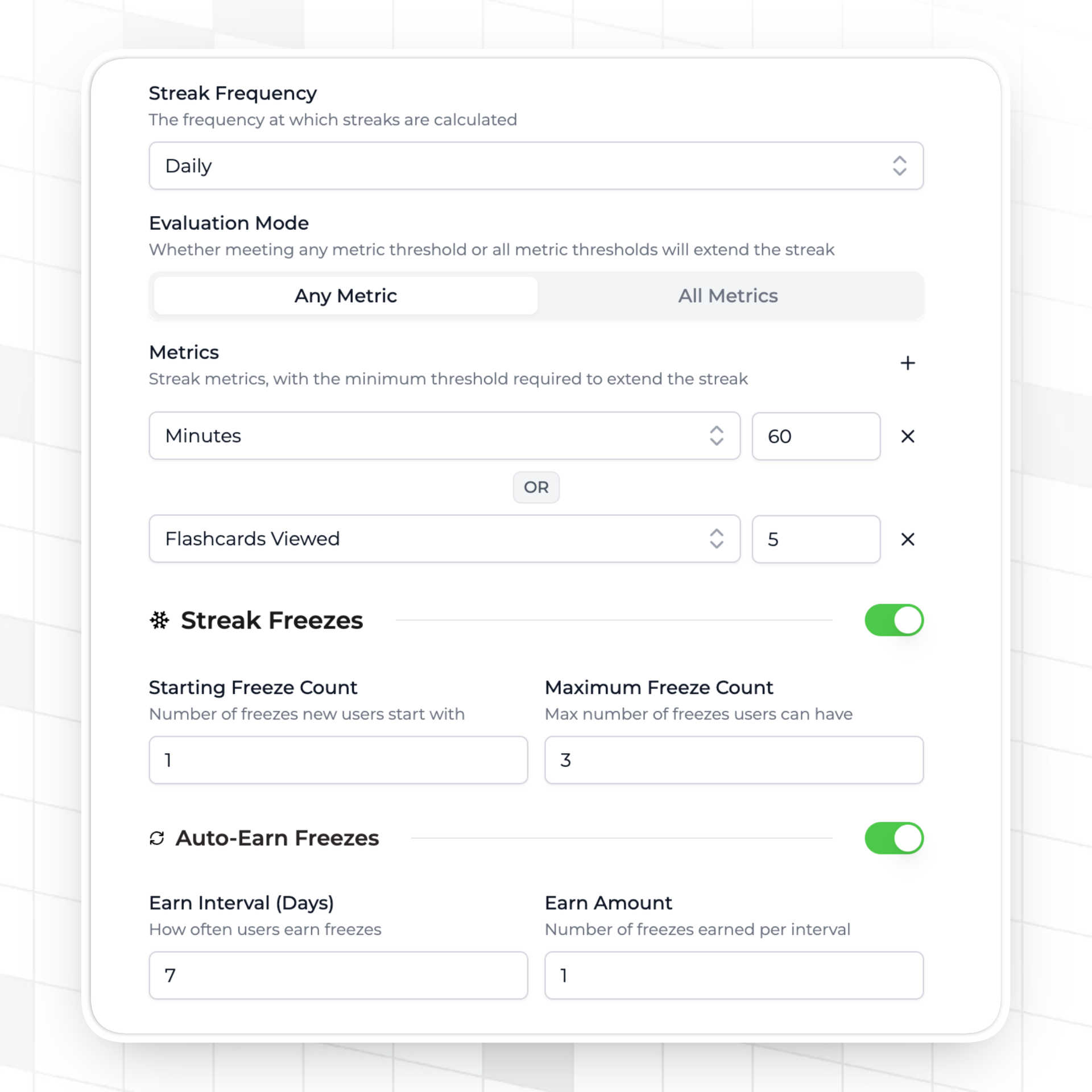
Streak freeze consumption also happens at midnight in the user's local timezone rather than UTC midnight, which is relevant to apps that use freezes as a buffer for missed days. A user whose streak period ends at midnight in Tokyo has their freeze consumed at Tokyo midnight, not London or New York midnight.
The remaining piece that Trophy handles but is not covered in this post is the streak expiry display: the API returns an expires timestamp that represents the end of the user's current streak period in UTC, which your frontend converts to local time for display. That's documented in the Trophy Streaks documentation.
FAQ
Should I store timezone as a UTC offset or an IANA identifier?
Always IANA. A UTC offset like +05:30 is static — it encodes the current offset but not the DST rules that determine when that offset changes. India doesn't observe DST, so +05:30 happens to be unambiguous there, but +10:00 could be AEST or AEDT depending on the time of year. An IANA identifier like Australia/Sydney encodes the full history of offset changes for that region and is handled correctly by any proper timezone library.
What timezone library should I use in Node.js?
date-fns-tz for most projects. It's actively maintained, tree-shakeable, and the API is straightforward for the period boundary calculations described in this post. Luxon is a good alternative with a more object-oriented API. Avoid moment-timezone for new projects — it is in maintenance mode and carries significant bundle weight. The Temporal API is the long-term native solution for JavaScript timezone handling, but browser support is still incomplete as of 2026.
How do I get the user's timezone on a mobile app?
iOS: TimeZone.current.identifier returns the IANA identifier. Android: TimeZone.getDefault().id returns the IANA identifier. Web: Intl.DateTimeFormat().resolvedOptions().timeZone returns the IANA identifier.
Send this value to your server on each relevant API call. Don't rely on IP geolocation for timezone inference — it's inaccurate for VPN users and doesn't update when users travel.
What happens to a user's streak if they update their timezone mid-day?
With the lazy evaluation pattern described in this post, the update takes effect on the next interaction. If a user changes their timezone and then logs activity in the same session, the new timezone is used for evaluation. There's no retroactive recomputation of the streak based on historical activity in a different timezone.
Do I need timezone handling for weekly or monthly streaks?
Yes, for the same reasons. A weekly streak requires the user to act in each calendar week in their local timezone. The week boundary in UTC+12 is 12 hours earlier than in UTC-12. Without per-user timezone evaluation, users in UTC+12 have a shorter competition window every week. The calendar-day comparison pattern extends naturally — replace the daily date string with a week or month string and the logic is identical.
Where to Go Next
The Trophy Streaks documentation covers the full configuration reference including frequency, freeze management, and how streak expiry timestamps are returned from the API. For the broader implementation of a streaks feature from scratch, How to Build a Streaks Feature covers the end-to-end integration. And for the Friday loss pattern that makes streak reminder timing matter, How to Send Streak Reminder Emails covers the data and implementation.
Get the latest on gamification
Product updates, best practices, and insights on retention and engagement — delivered straight to your inbox.
The gamification layer for consumer apps
Drop-in gamification features you can ship this sprint. Increase retention and user engagement without sacrificing your roadmap.
 Book a call